


Role
UX/UI Designer
Company
Carbon Graph
Timeframe
4 months
I conducted a holistic redesign of the platform including reworking navigation and data visualization tools to help two user groups extract actionable insights from complex data.
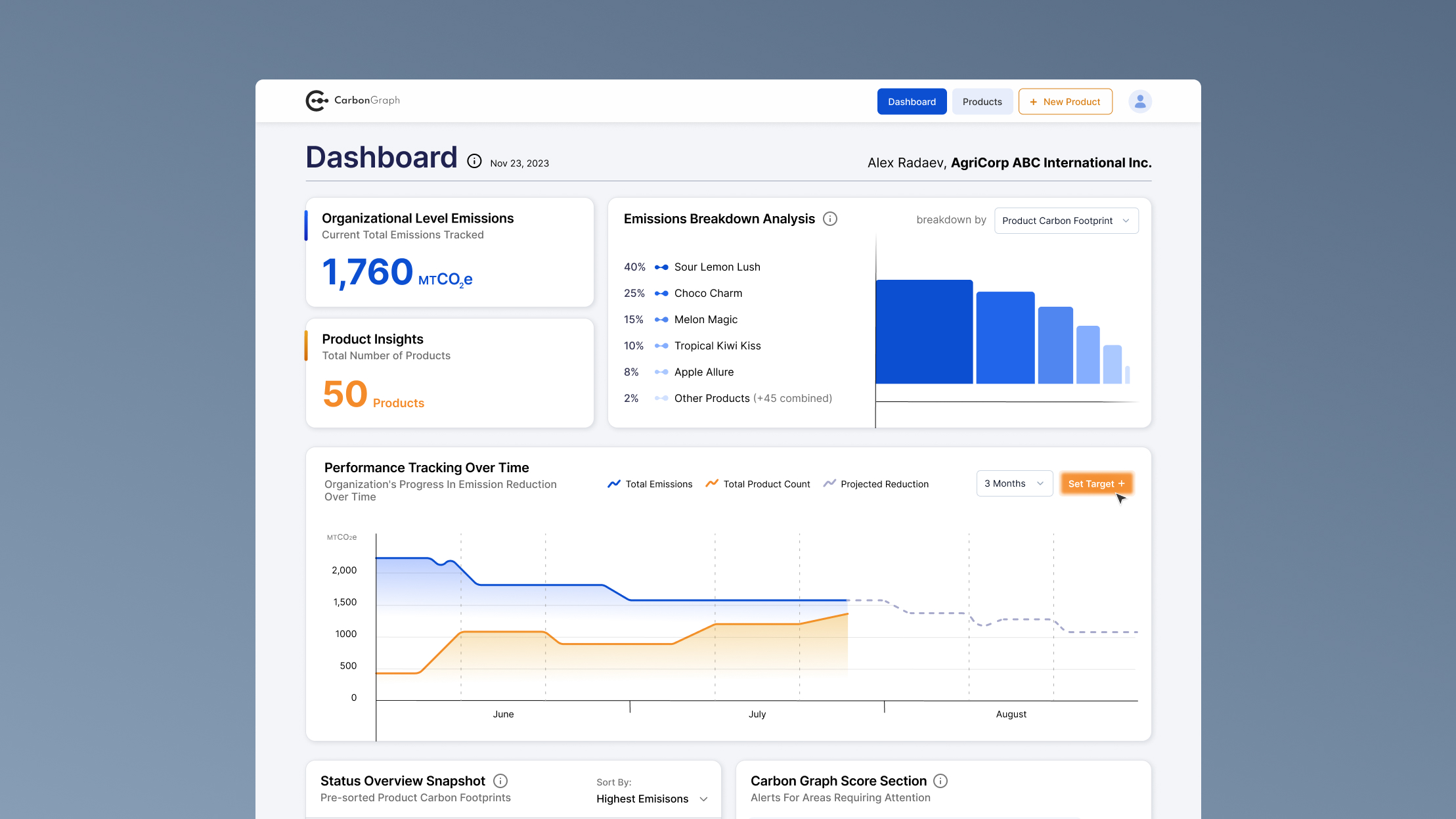
New organizational dashboard feature for high-level insights
Carbon Graph is a supply chain sustainability platform designed for manufacturing companies seeking to reduce carbon emissions. Their platforms helps users identify the greatest sources of carbon intensity and risk (hotspots) and develop targeted, cost-effective reduction strategies.


Carbon Graph's platform features
Carbon Graph's team conducted multiple interviews with platform users and identified that the platform, in its current state, didn't serve all users equally well. People noted limited functionality when it came to comparing and analyzing products using existing bar charts and visualizations.
After an in-depth conversation with the product team and a discussion of the interview findings, I identified two major user groups with different needs: managers who were looking for a high-level overview and operational analysts who were interested in a more detailed carbon footprint breakdown. This segmentation informed design decisions related to new features and navigation.
At the time, Carbon Graph's platform didn't have the functionality to effectively support both user groups. An audit of the platform revealed several structural issues: navigation between pages was unclear, information lacked hierarchy, and key insights were difficult to interpret.
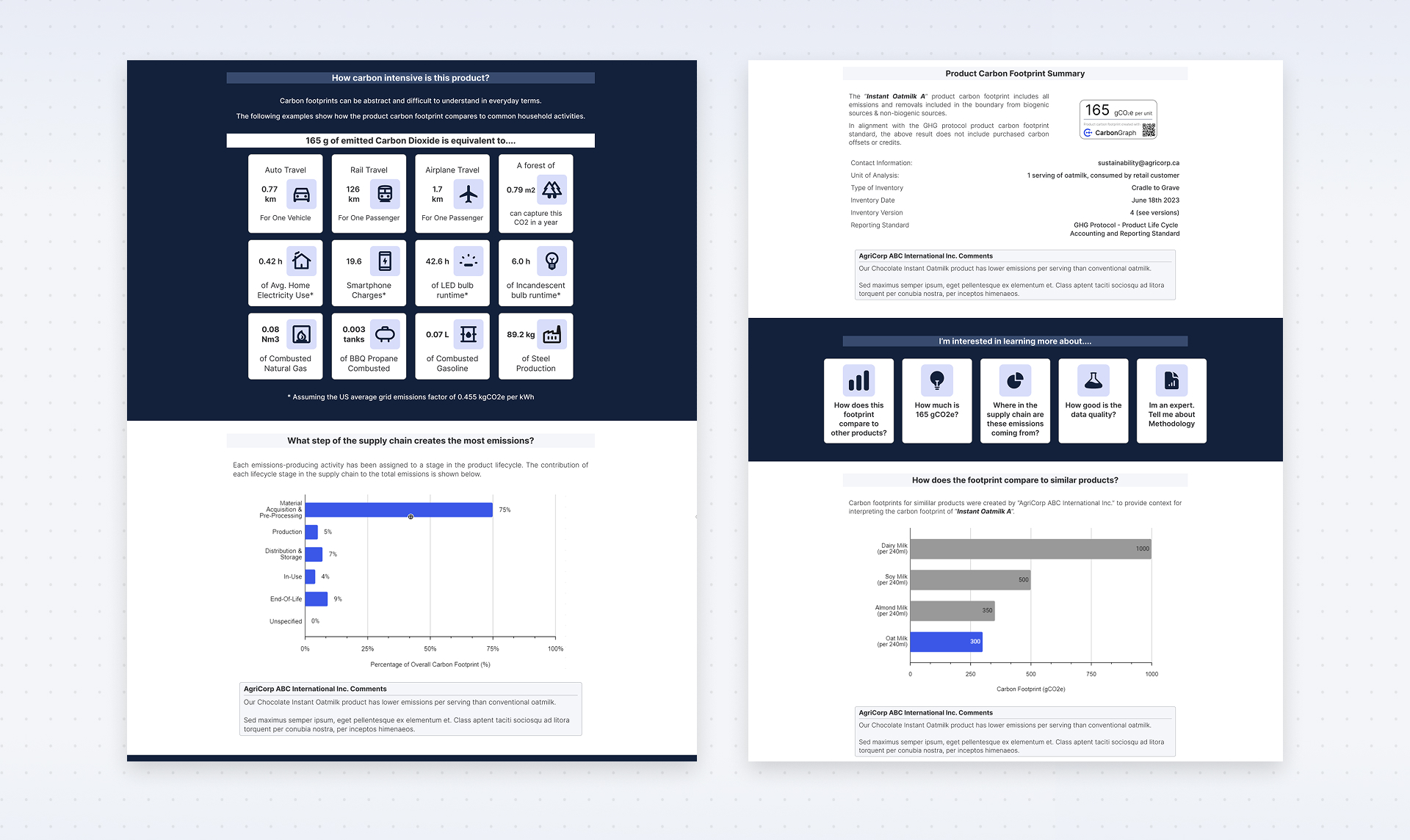
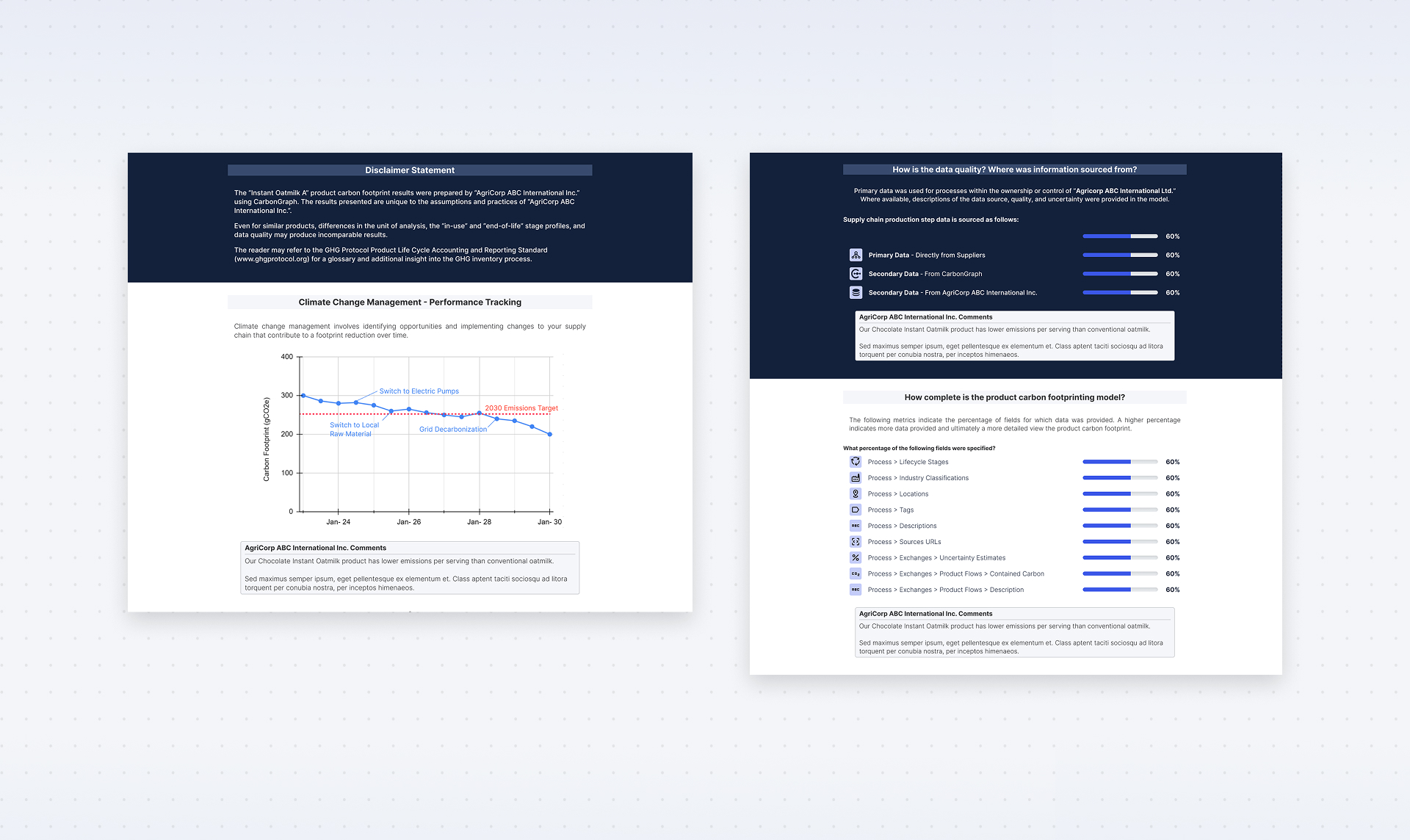
Before the redesign, platform pages behaved more like static website pages, offering limited functionality for extracting detailed insights.
One of the greatest limitations of this project was the short timeline and the fact that I couldn't conduct direct research or testing with Carbon Graph's clients. I had to rely on the findings from their product team and secondary research to better understand how their users think and what matters most to them.
Before moving forward, I solidified our understanding of the two personas to craft tailored workflows that would satisfy the needs of both groups.

Product Managers

Sustainability Analysts
Competitor research showed that most existing tools were highly specialized and often focused on narrower datasets. Many lacked the comprehensive Scope 3 emissions capabilities that Carbon Graph was developing.
I also explored visual inspiration from other data-heavy platforms to better understand how complex information could be structured and visualized effectively. This research helped inform the direction of the interface and dashboard design.
My findings informed design decisions that followed later:


Based on previous findings and identifying two distinct user groups I was able to formulate the goals of this holistic platform redesign project
Goals

Proposed Solution
Provide tools to access insights at both organizational and individual product levels
Organization and product dashboards, new product-specific tools
Make it easier for users to find relevant information
Navigation rework, important data highlights
Reduce the mental effort required to interpret complex datasets
Layout prioritizing visual hierarchy
Navigation was the first area I addressed. The primary navigation bar provides three main actions: viewing the organizational dashboard, accessing the product list, or creating a new product. These options allow users to quickly access high-level insights.
A secondary sidebar navigation appears once a user selects an individual product. Because product-level analysis includes multiple specialized tools, the sidebar provides a structured way to move between pages without losing context.
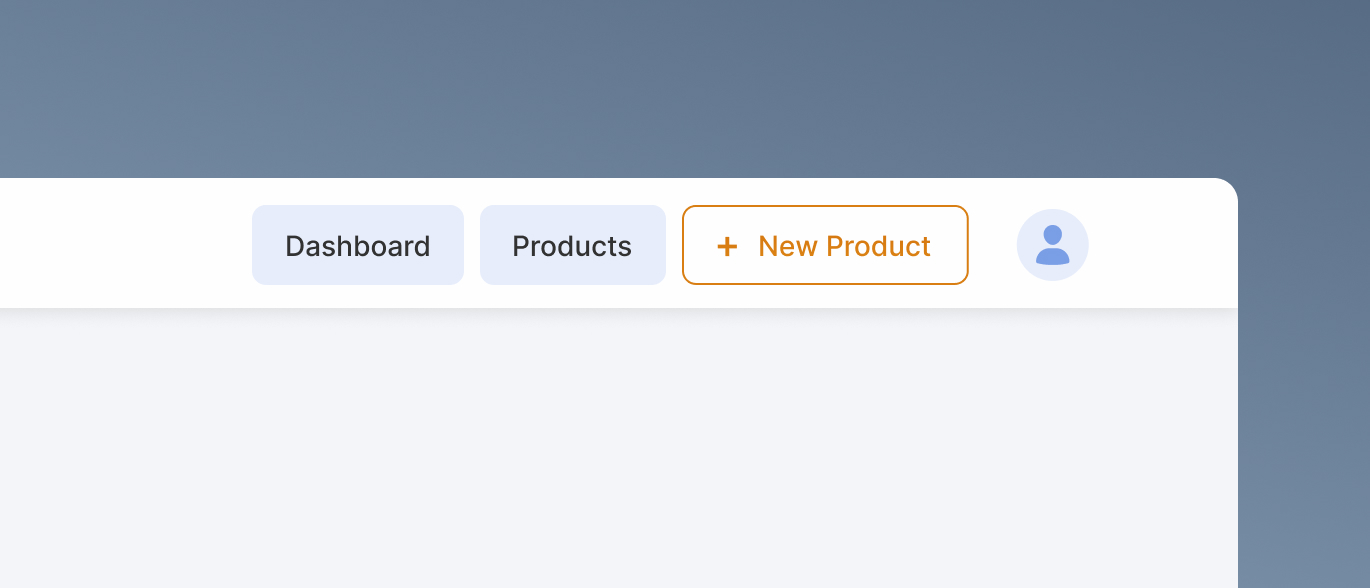
Main navigation bar has only three items. It focuses on getting users to high-level overview pages.
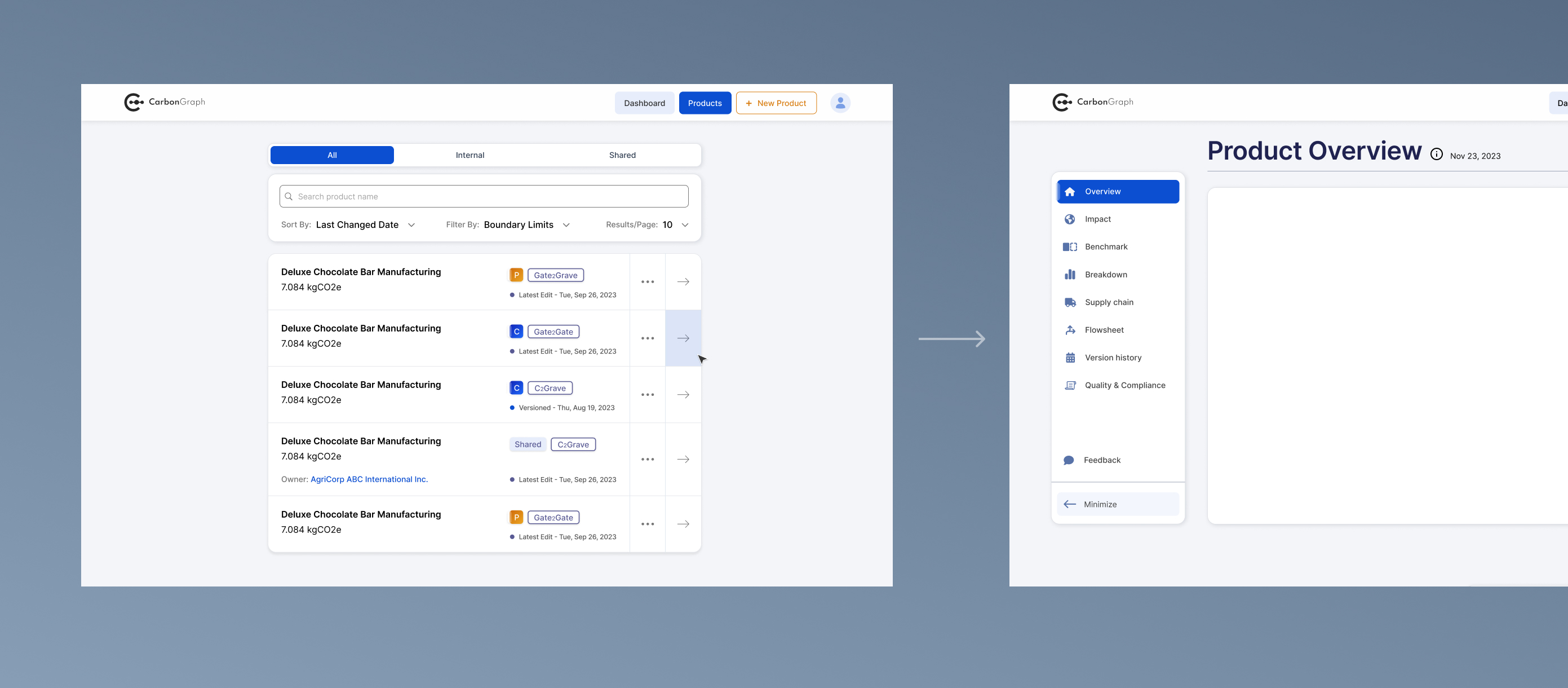
Secondary side navigation bar appears when user goes to inspect an individual product.
The organizational dashboard was introduced as a new feature designed to provide a high-level overview of emissions across all products. Interface prioritizes simple, easily understandable metrics paired with data visualization tools. Product managers can quickly assess overall performance and identify potential areas of concern.
Users can explore deeper insights through additional widgets positioned further down the page, which provide more granular comparisons between products.
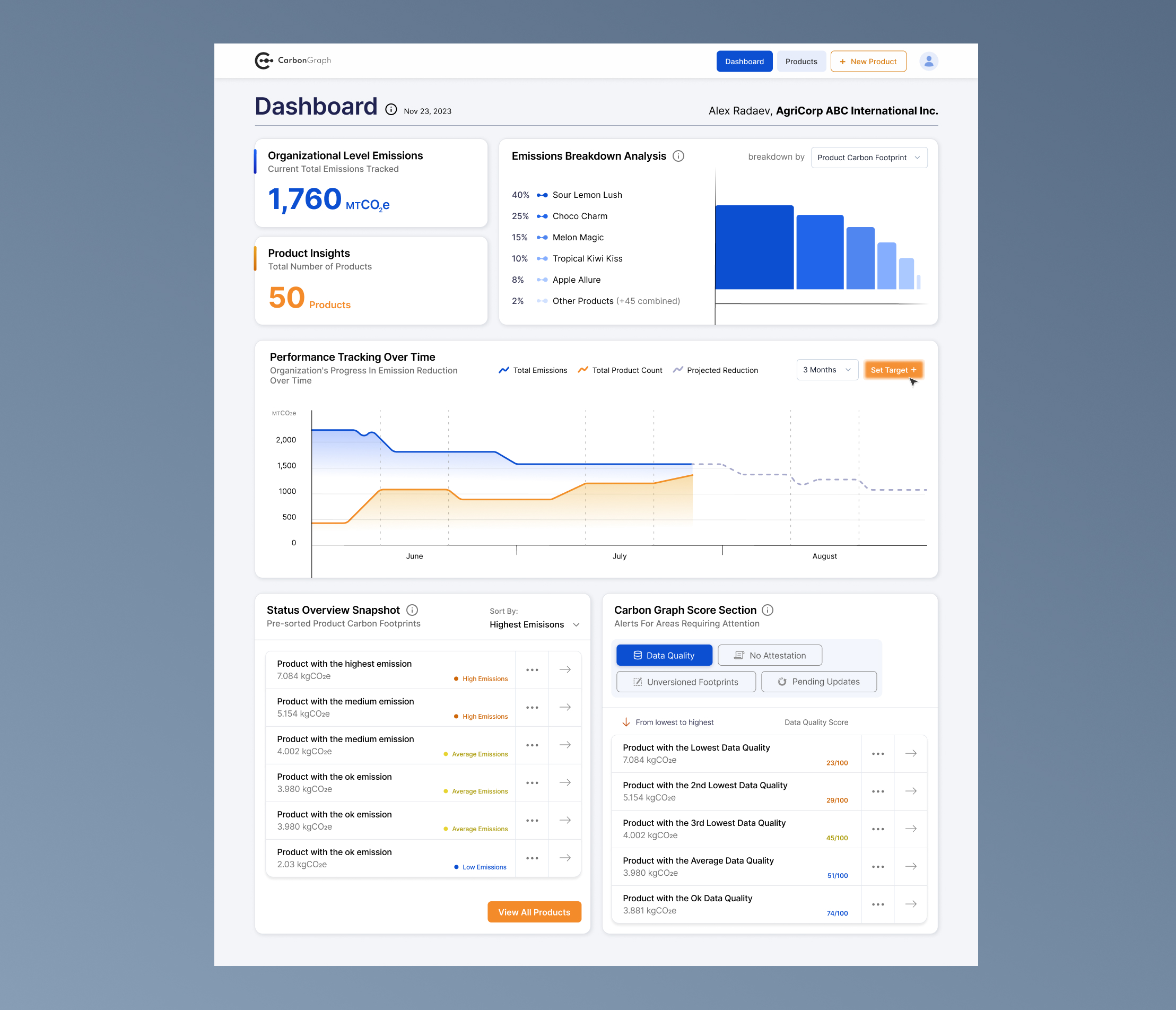
Organizational dashboard aims to provide high-level insights of emissions across all products for less technical decision makers.
Individual product overview focuses on highlighting product emissions history, technical details and other high-level information. Similar to organizational dashboard, this page serves as a high-level overview of a selected product for sustainability analysts.
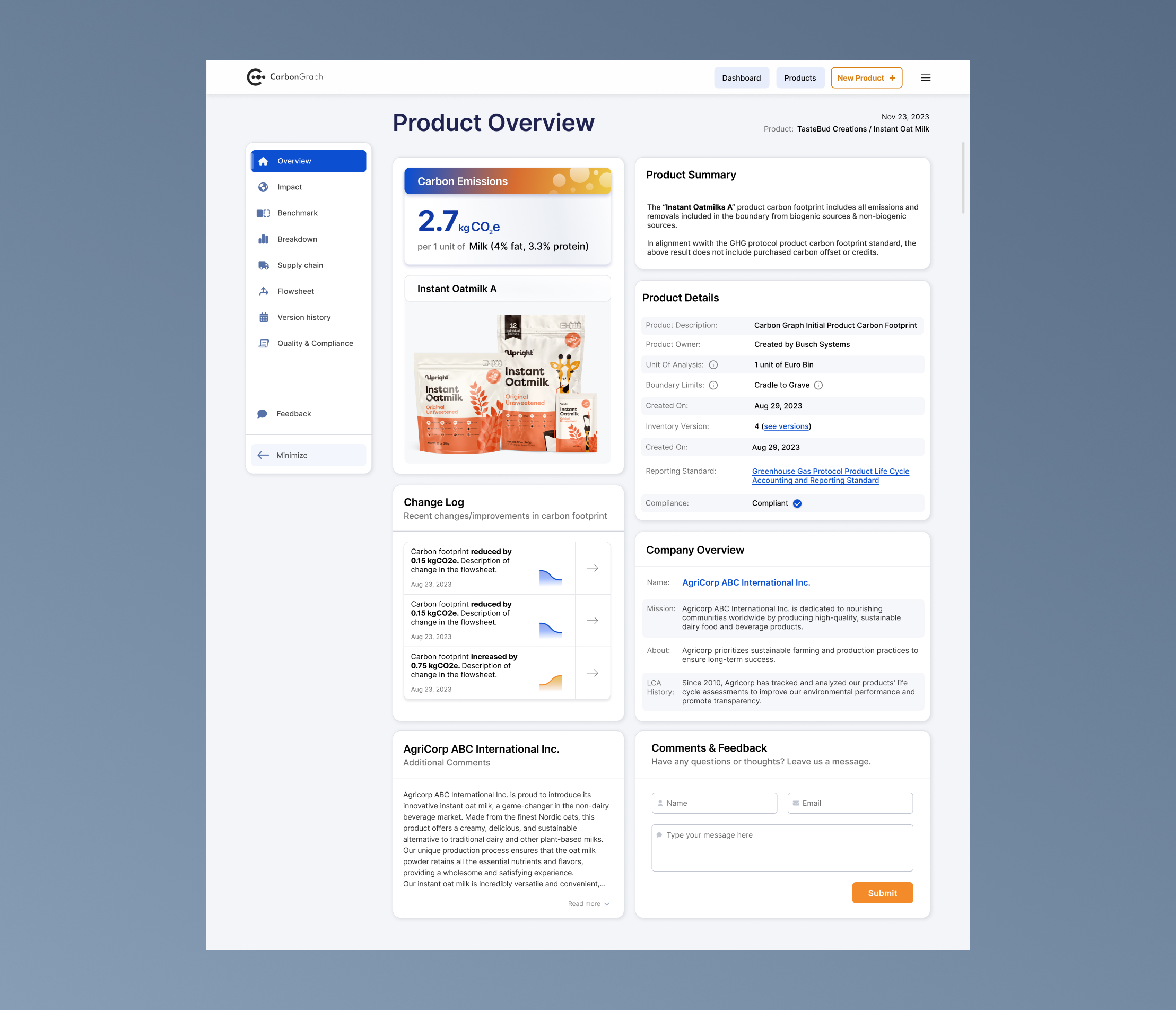
Individual product dashboard redesign aims to provide a comprehensive overview for most impactful product areas.
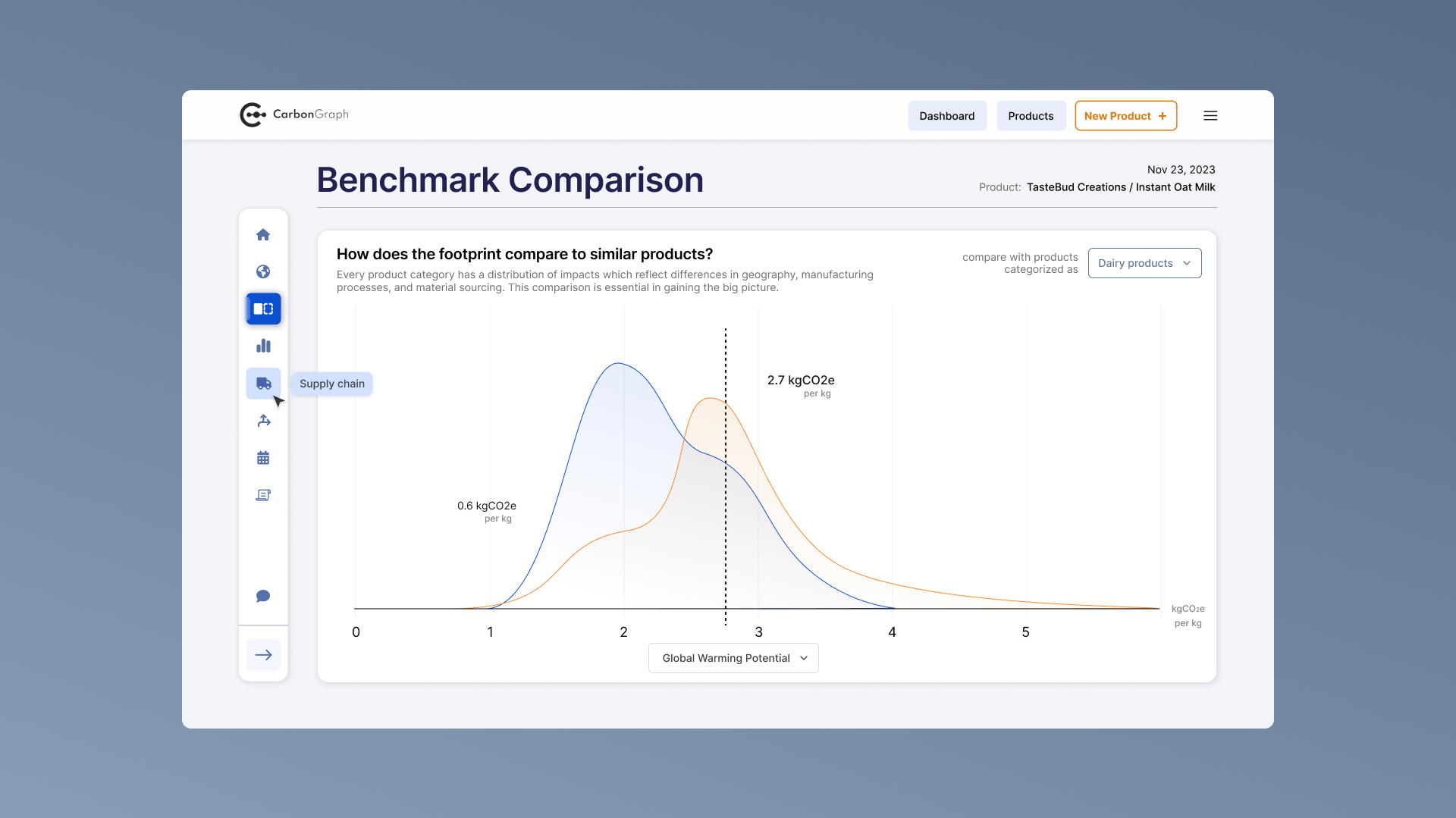
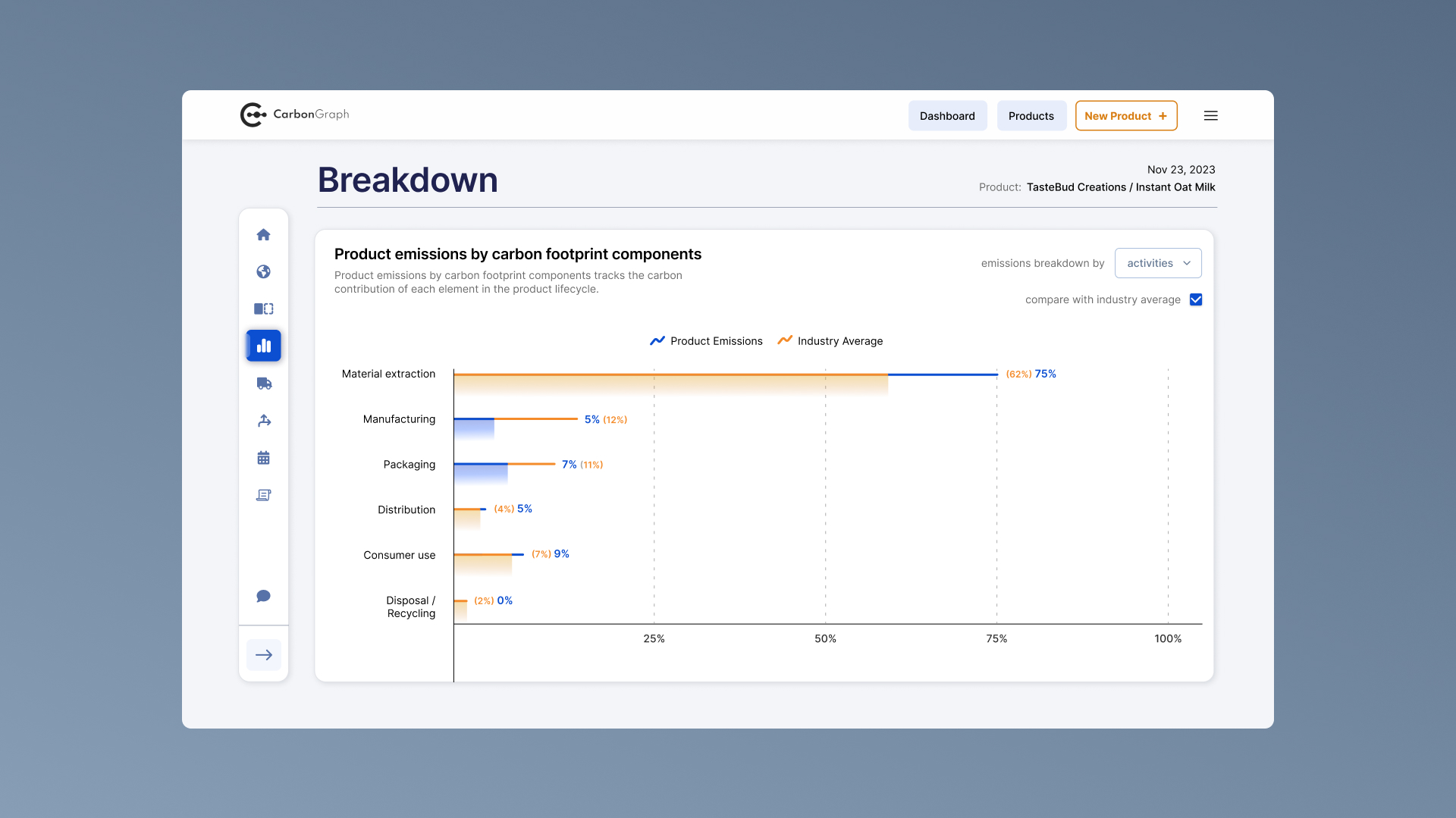
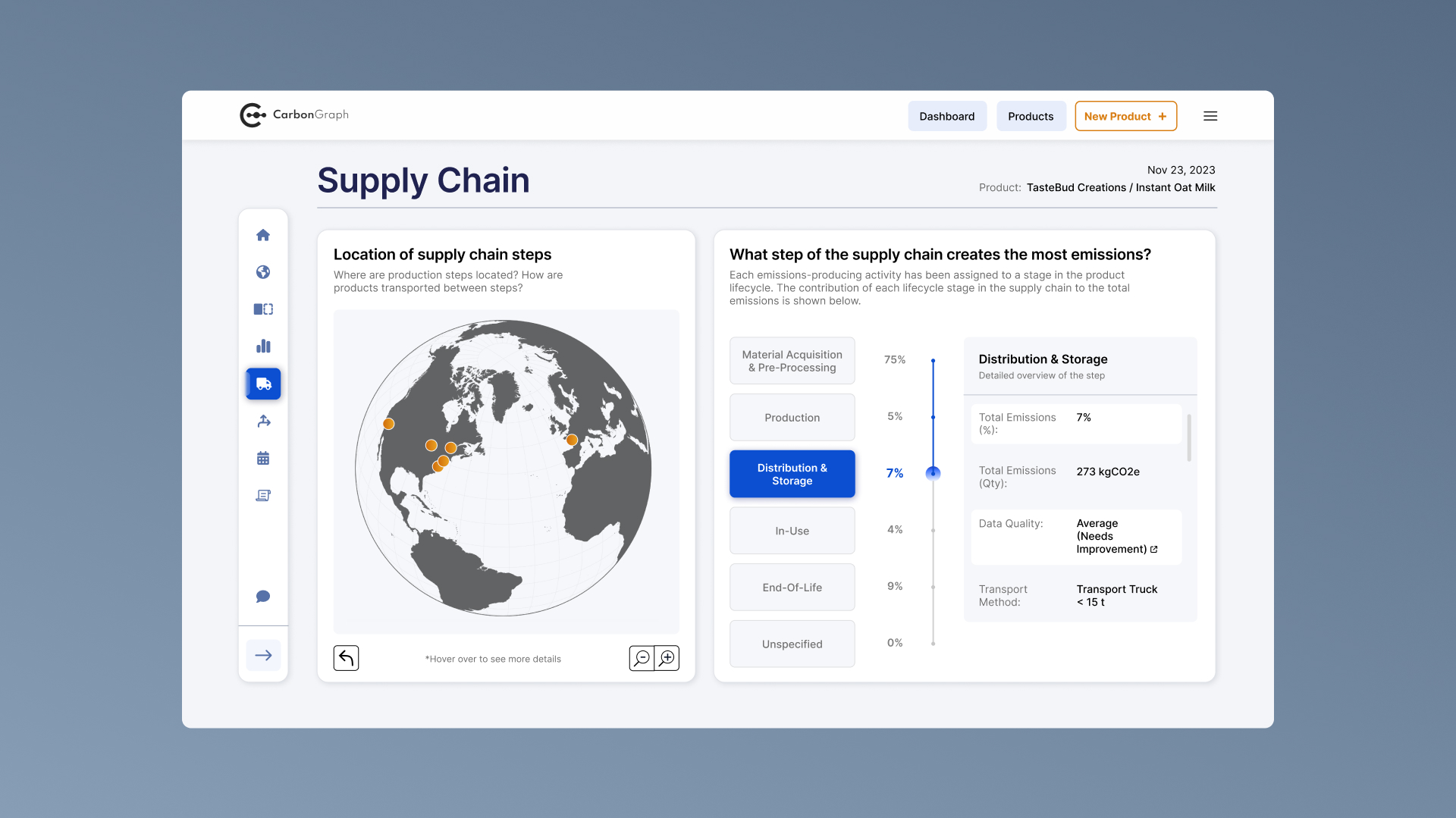
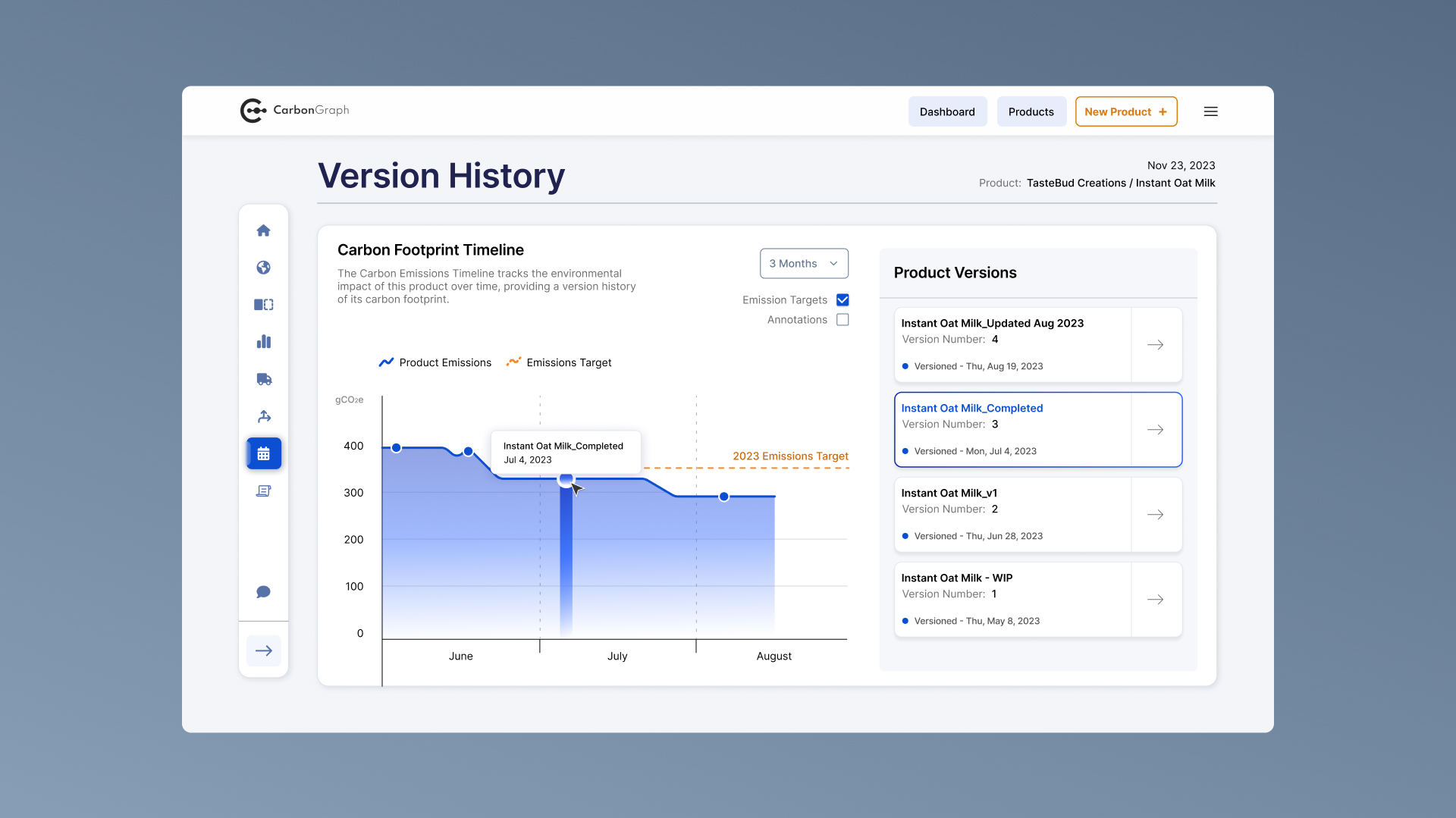
Additional product pages provide more granular insights into specific aspects of a product’s lifecycle. For these views, I focused on tailoring each visualization to the type of data being presented. This helped reduce friction, improve readability, and make analytical tools more intuitive to use.
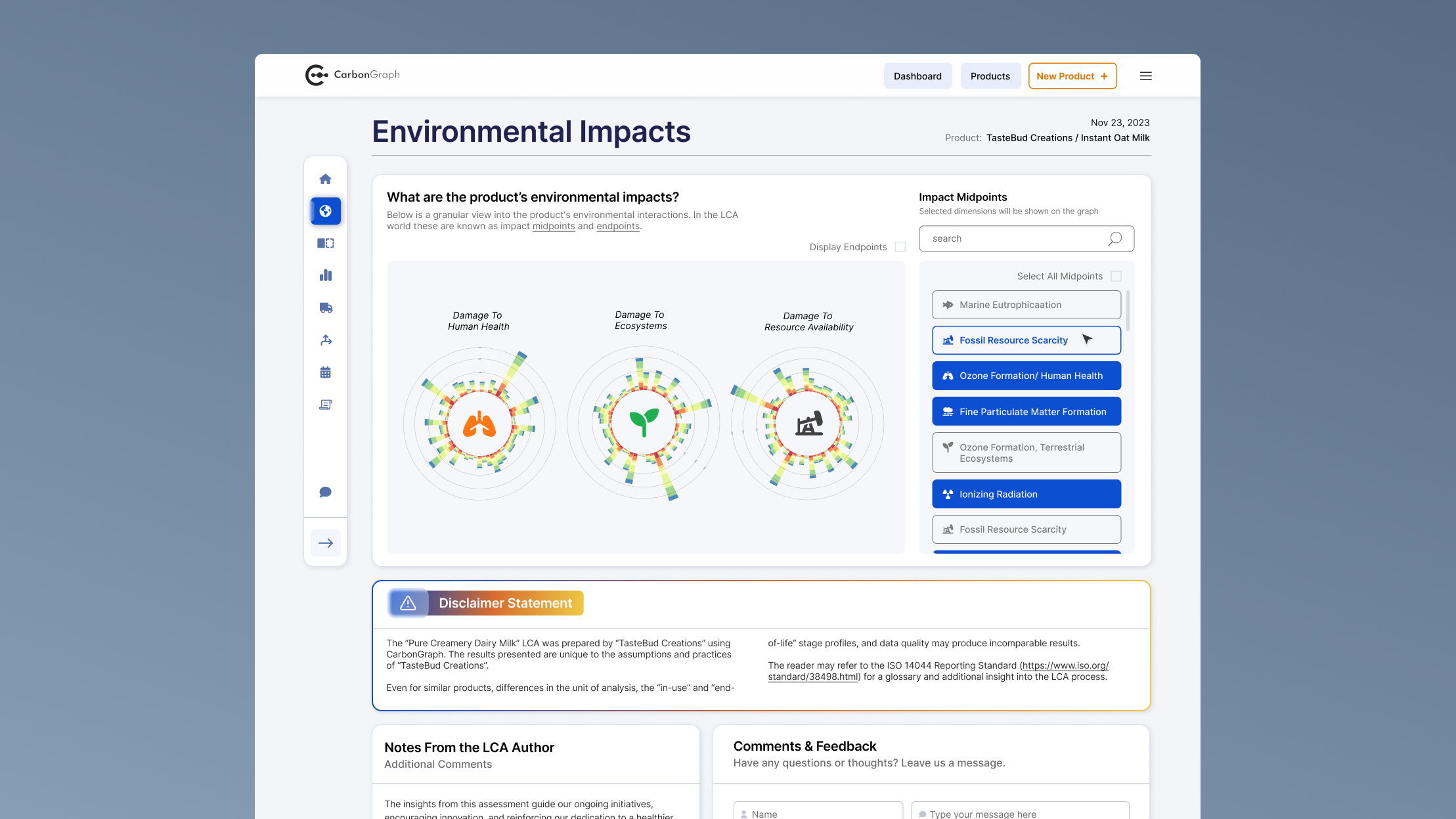
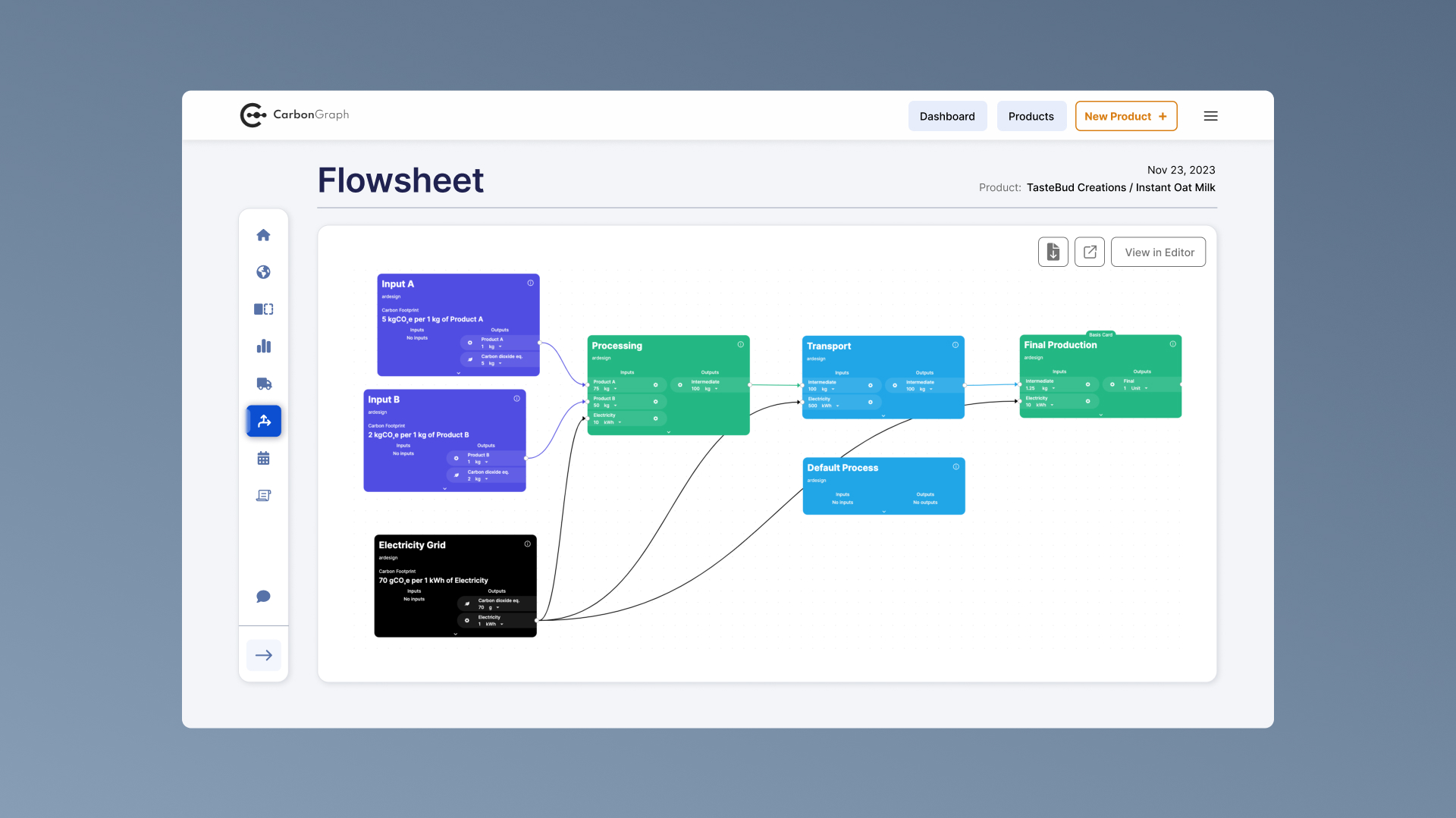
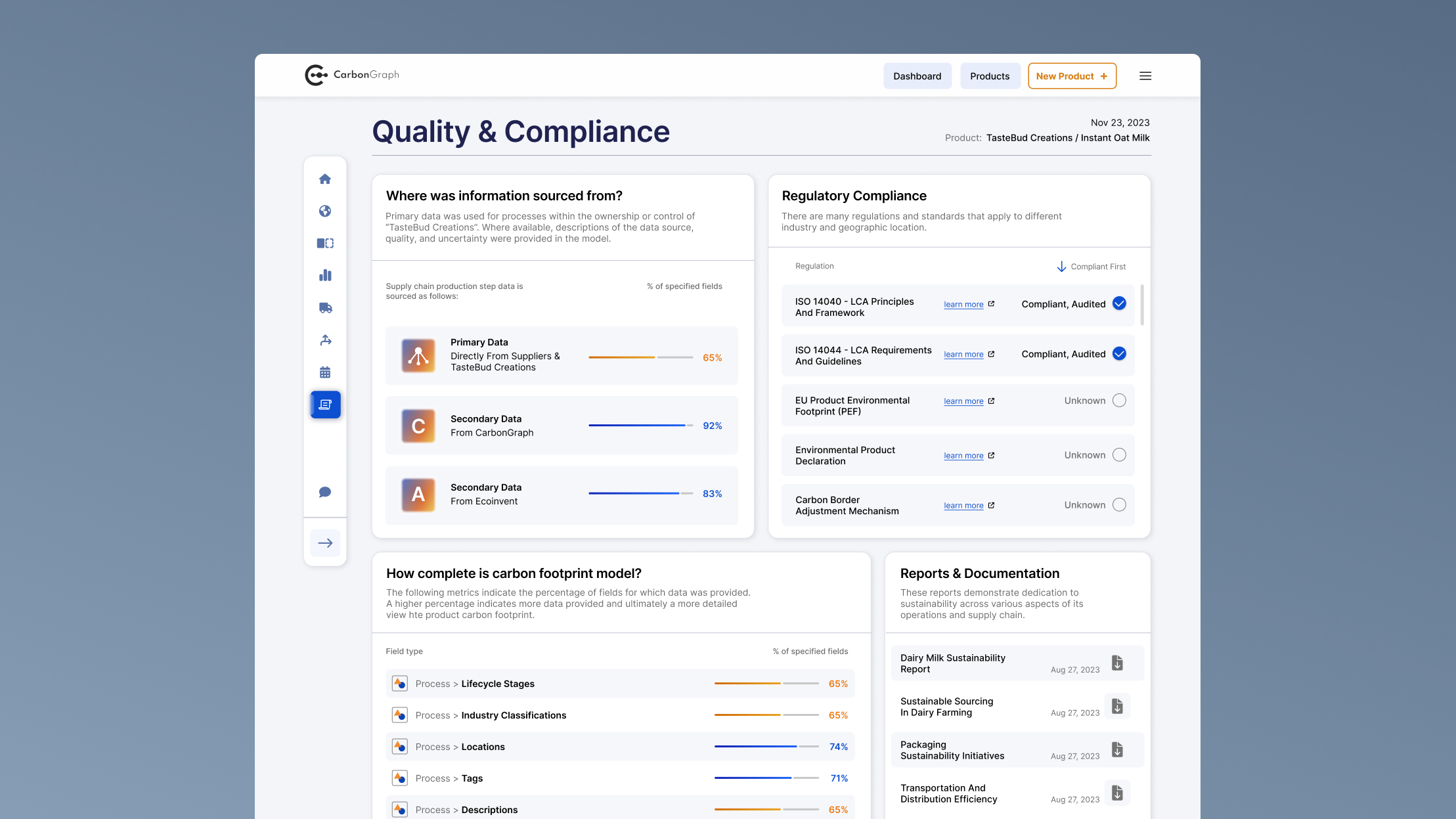
By the end of the project, Carbon Graph had a fully redesigned lifecycle assessment platform that included:

These improvements equipped decision-makers with the ability to quickly scan high-level metrics, interpret complex data, and use findings to strategically reduce emissions.

Finished product dashboard mockup

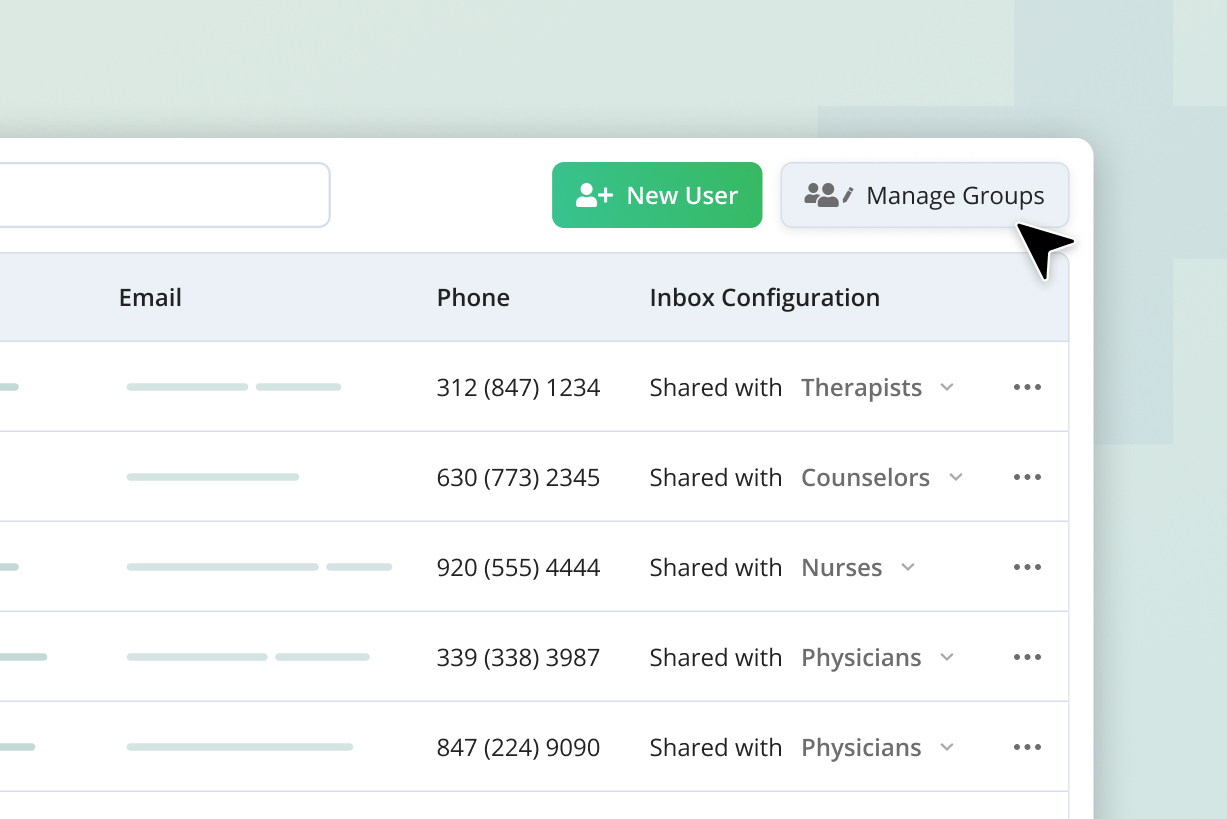
Evoke Health
Improved staff user management and operational visibility for a senior care EHR platform
|
Web-app
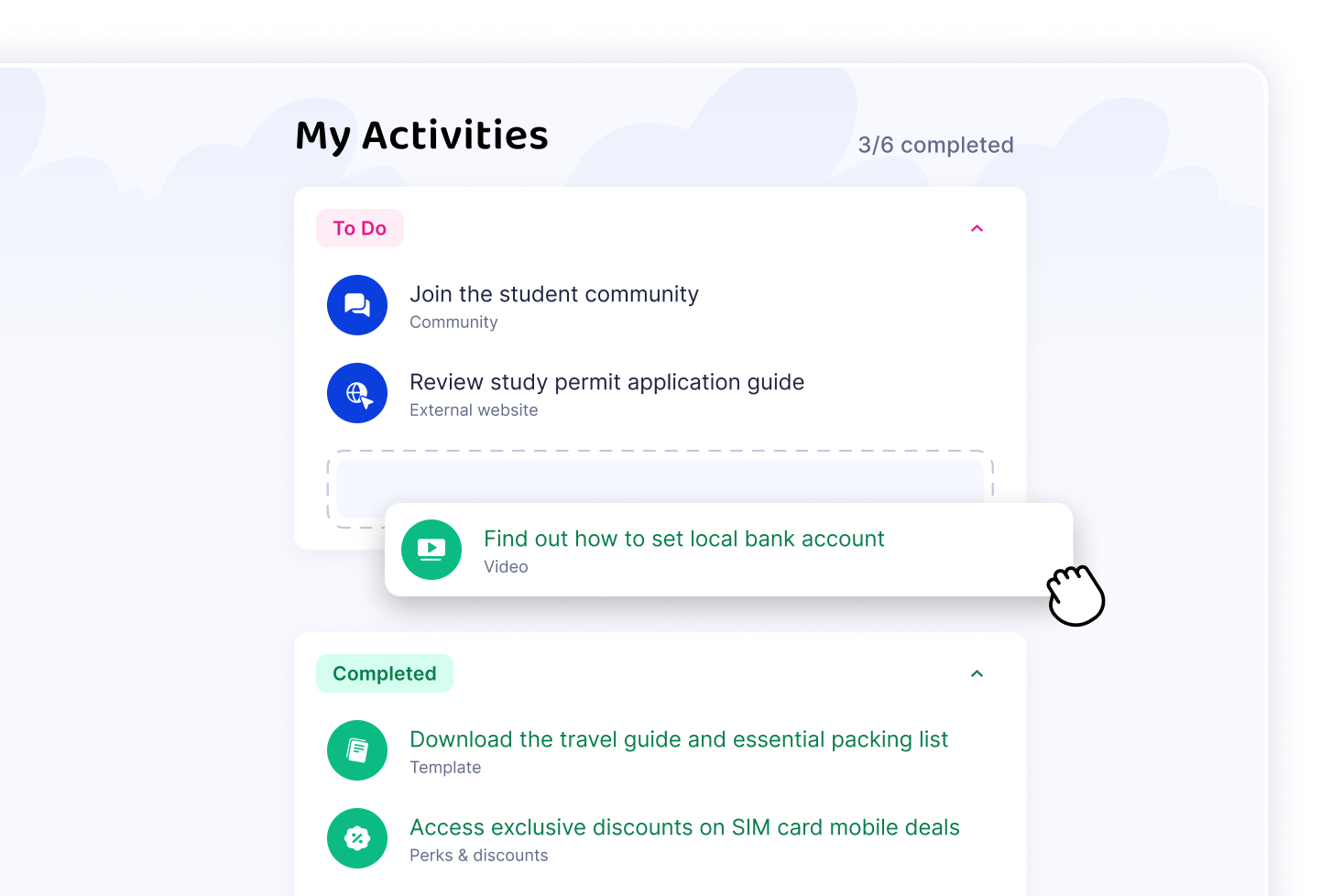
Wayble
Guiding higher-education students with personalized resources
|
Web-app

