
Role
Product Designer
Company
Wayble
Timeframe
6 months
Read time
10 min
Wayble Co-Pilot is a platform feature that helps higher-education institutions efficiently convert, onboard, and guide students. I designed end-to-end workflows that tailor resources to individual student needs, improve engagement, and reduce administrative workload.
Wayble is a web platform providing a suite of student support tools for higher education institutions globally to help convert candidates into enrolled students, onboard new cohorts and ensure retention through timely guidance and support.
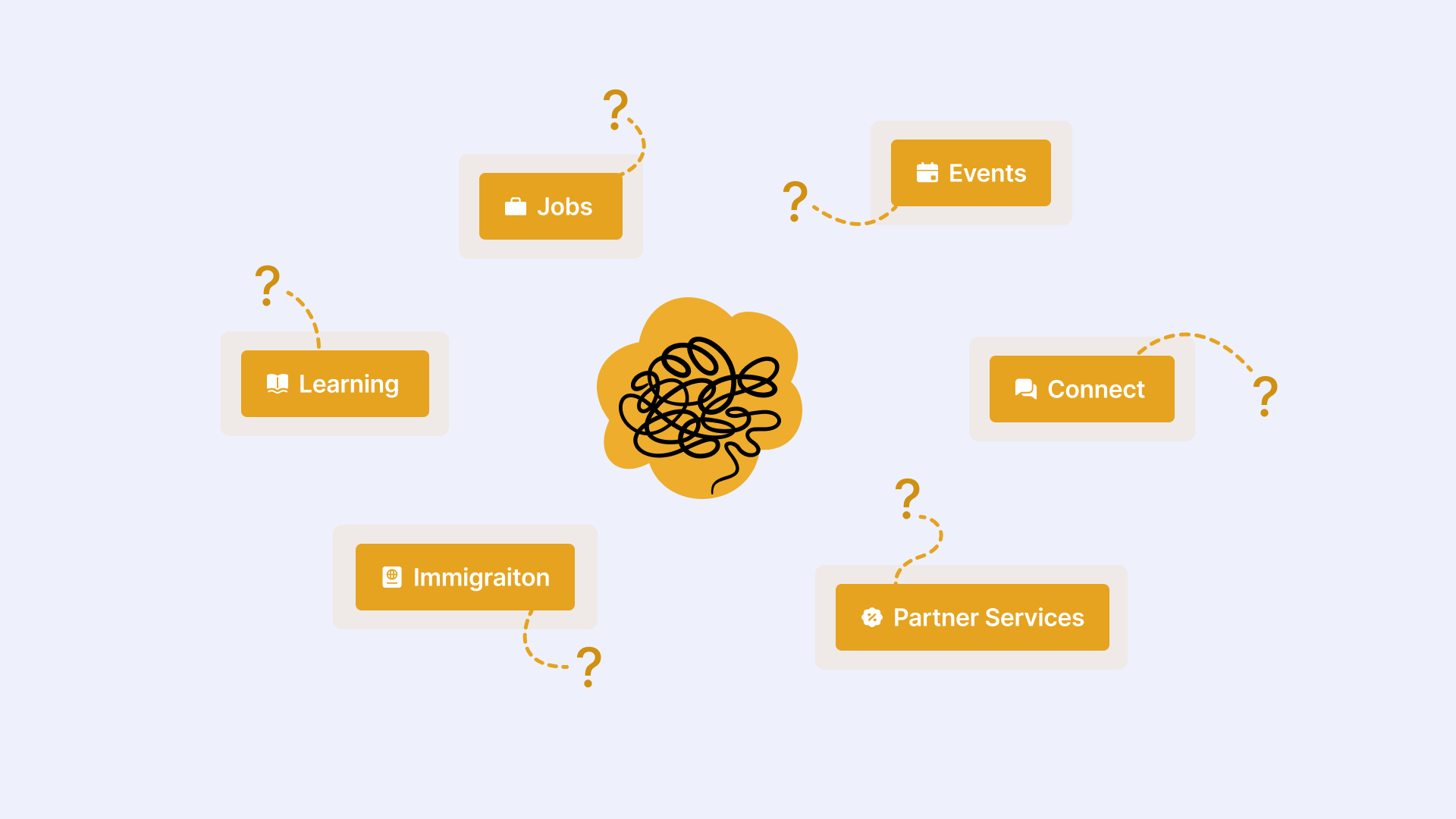
Before Co-Pilot, the platform offered several standalone features including job board, learning events, resources, mentorship access, partner network deals and immigration FAQ.
While each feature provided value to students in different areas of their academic and personal lives, they existed as separate tools with little connection between them. Through conversations with partner institutions, Wayble discovered that different departments wanted to provide a more personalized student experience while reducing the administrative effort required to manage the platform. They needed a flexible way to guide students toward specific outcomes throughout their academic journey.
Students had access to a wide range of valuable resources, but the platform offered a rigid way of accessing them. Because these tools were disconnected, the overall experience felt fragmented, it was hard to drive students towards specific goals and engagement levels were lower than expected.
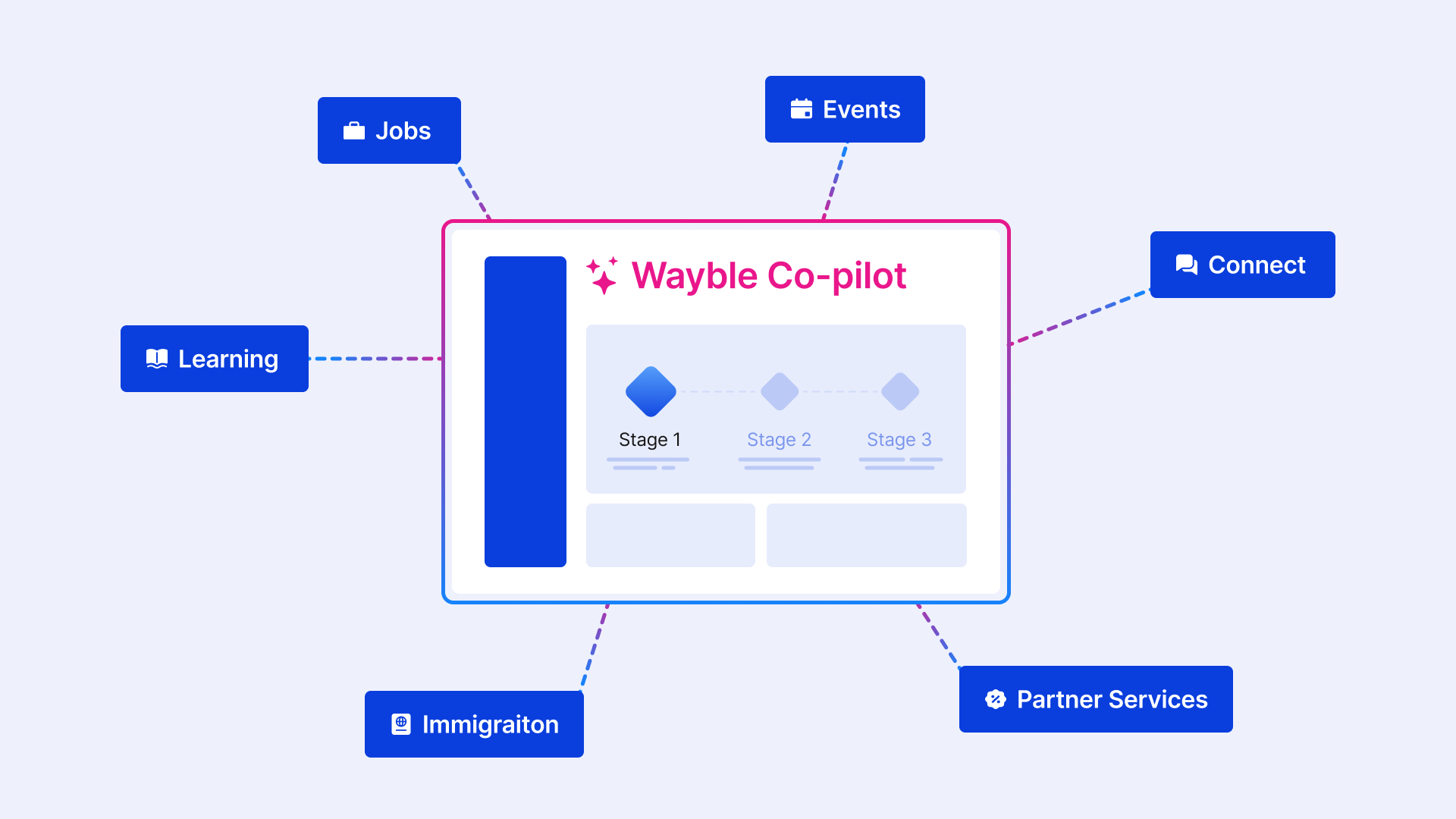
To help institution clients achieve their internal goals and improve the student experience, we focused on creating a new flagship feature for the Wayble platform called Co-pilot. The feature aimed to:

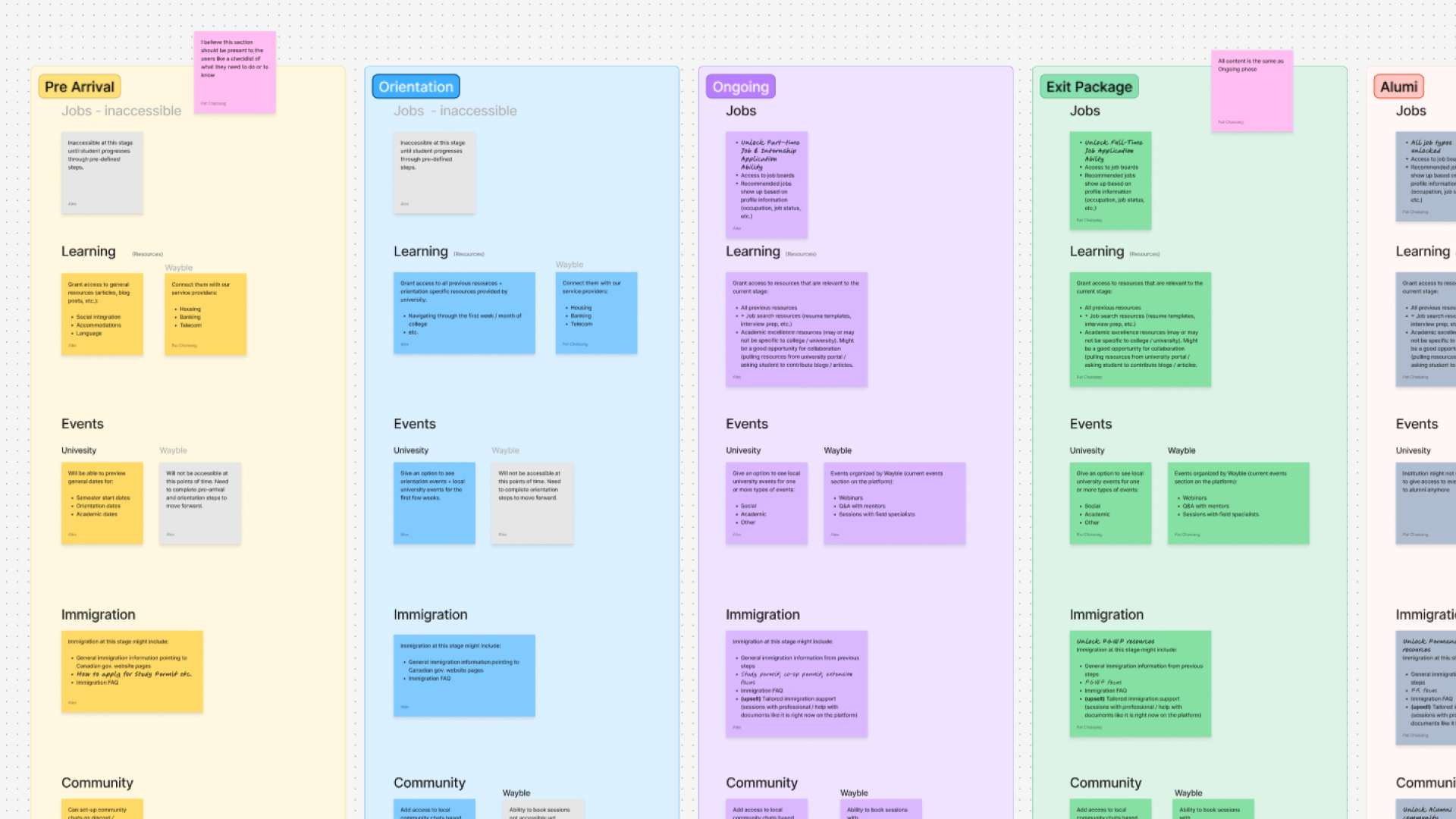
A key part of the research and ideation process was determining what features and resources should be available to students based on their academic progress. Creating student journey map helped us understand what Wayble platform customization should look like for each stage.
To better understand what drives engagement in learning platforms, we also looked at products such as Khan Academy and Duolingo. These examples showed that progression systems, goal setting, and a sense of achievement are powerful motivators that encourage users to stay engaged.
Based on these insights, we developed a concept for Co-Pilot where students would receive resources as structured activities that could be completed to progress through different stages of their journey.
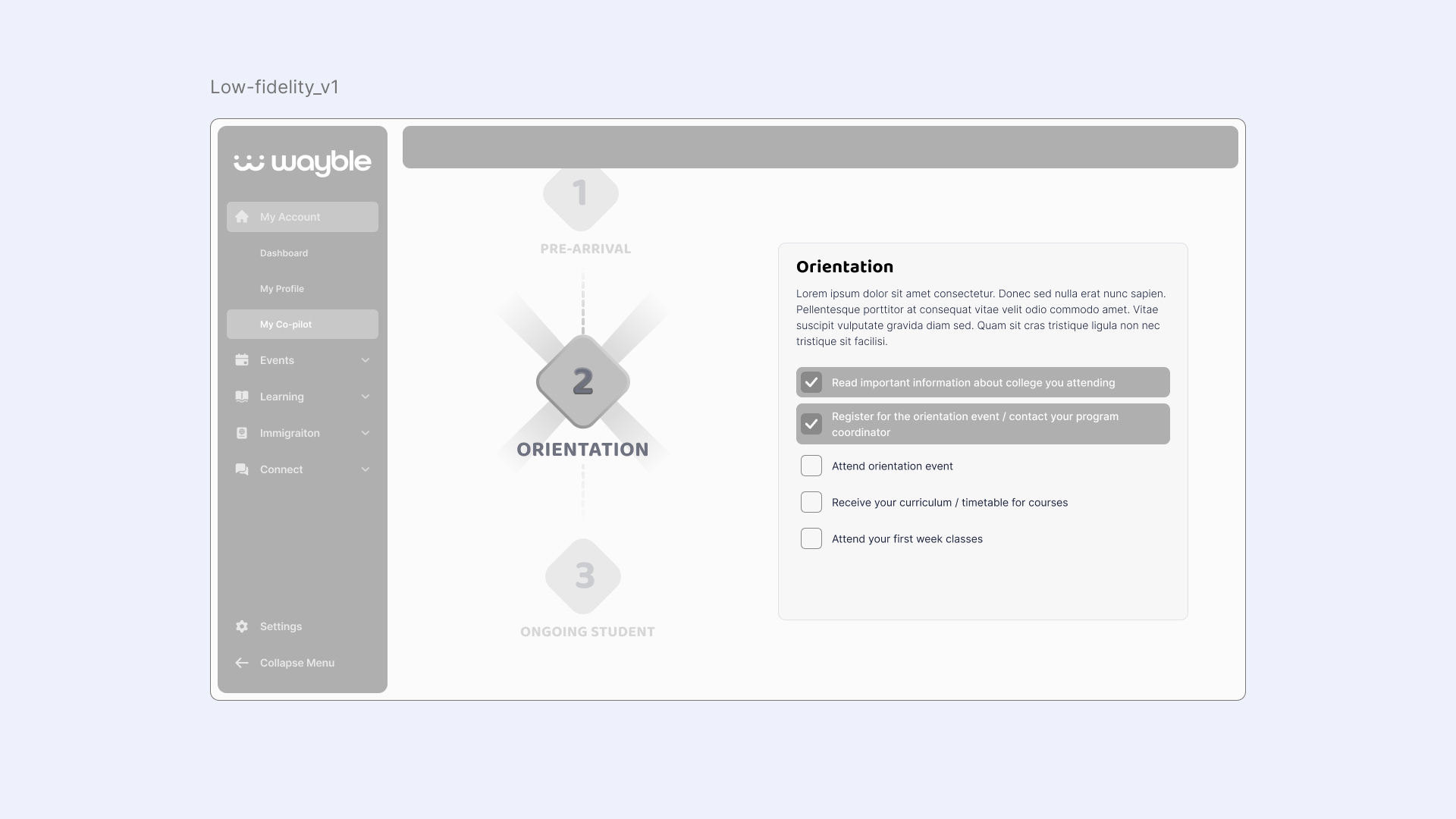
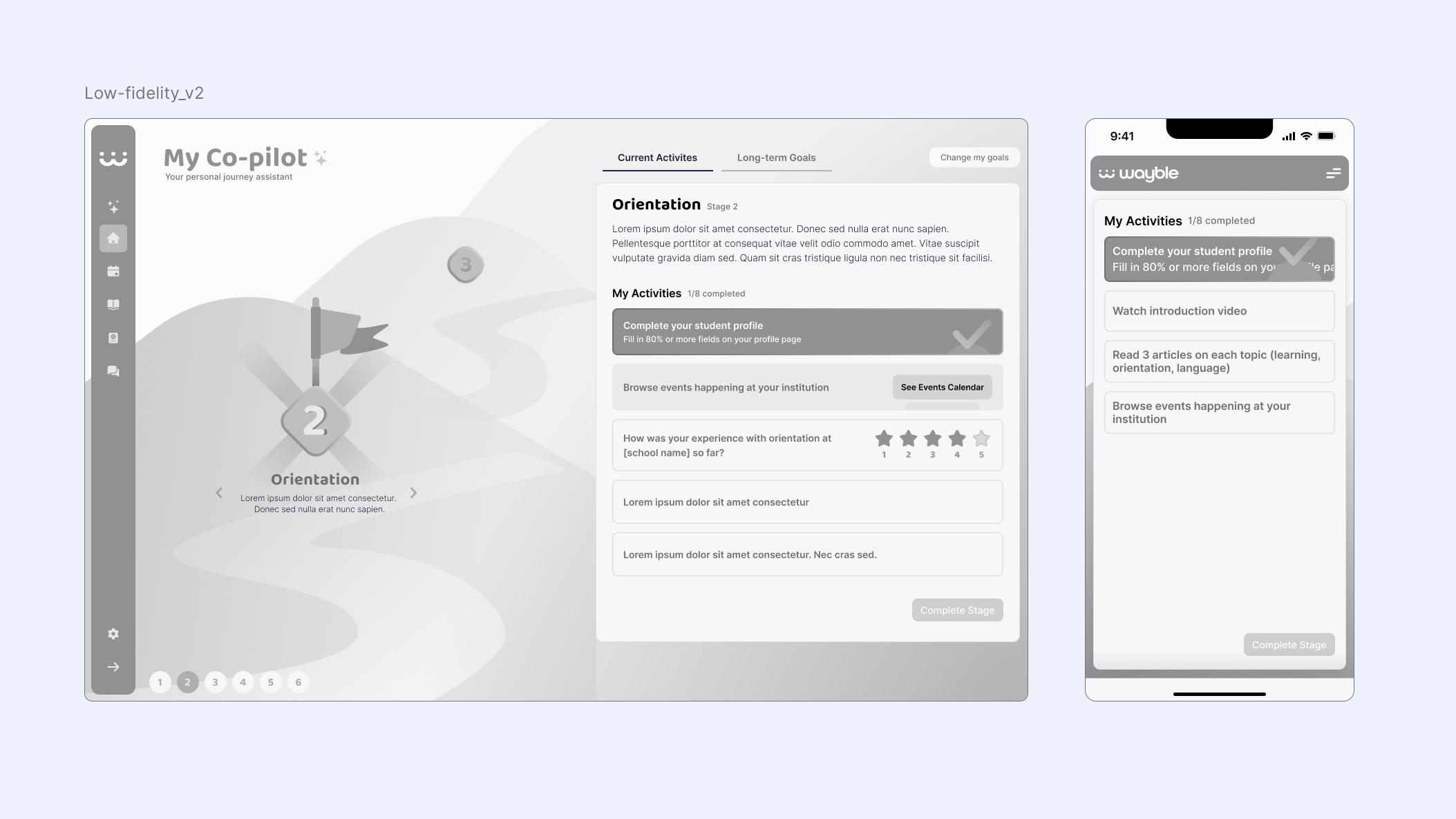
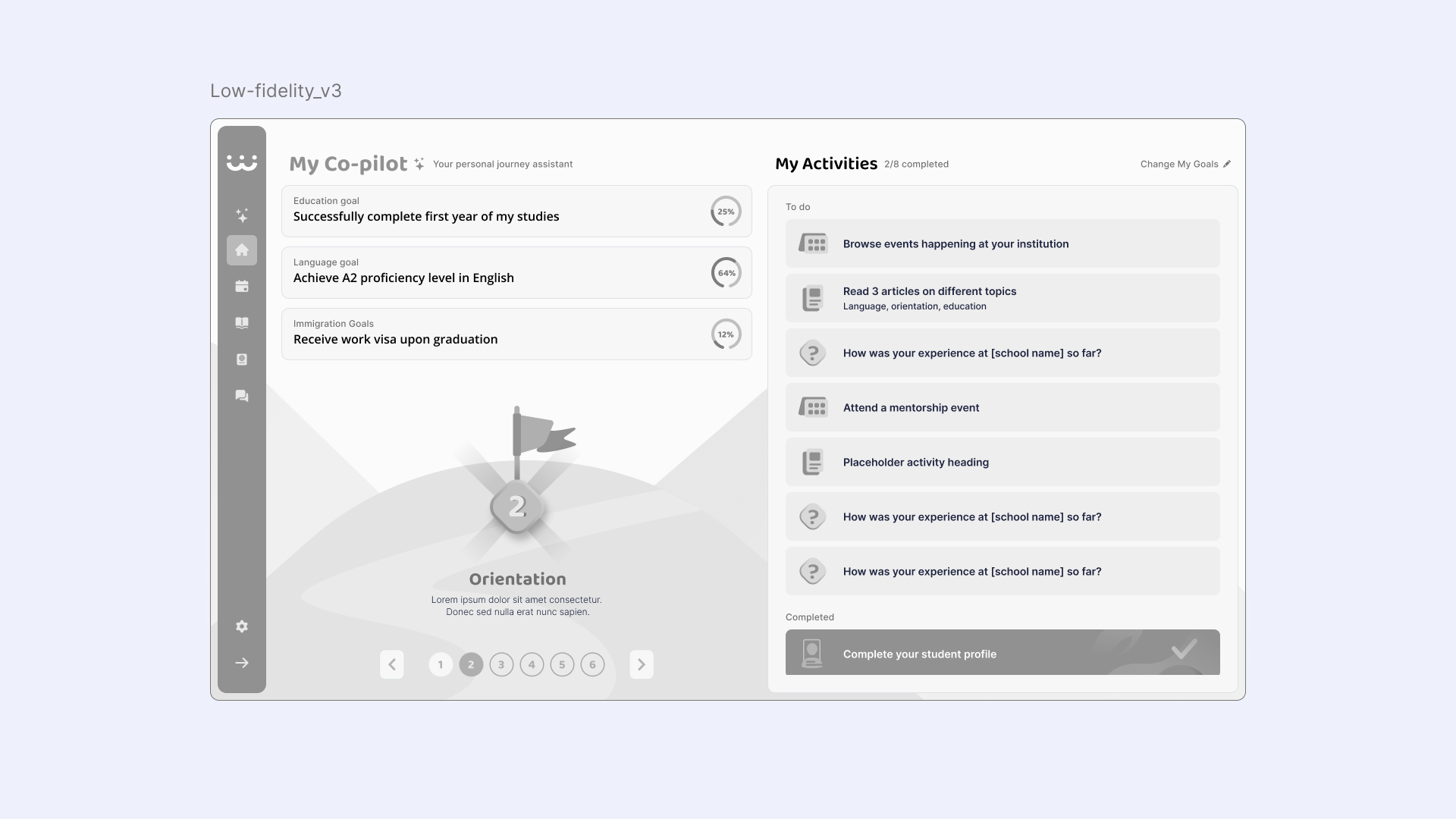
At this stage, I began creating wireframes to facilitate internal discussions with the product and development teams while slowly increasing fidelity with each iteration.
Our first design decision, which went against our original plan, was not to add AI capabilities or a chat-based interface to Co-pilot. Given the implementation complexity and time constraints, we could not reliably deliver predictable outputs for students. Client interviews also revealed that college and university admins needed full control over the Co-pilot setup, customization, activities, and eventually analytics. Building all of this at that stage would have been too large a task.
Limited development time and resources also meant prioritizing the most essential parts of the experience. Planned gamification features, including badges, leveling systems, and notifications, were postponed for future iterations.
Another challenge was balancing personalization with simplicity. We needed enough information to tailor the experience without overwhelming students during onboarding. We addressed this by connecting a small set of onboarding responses to relevant resources, enabling meaningful personalization with fewer questions.
Finally, Co-pilot needed to support white-labeling across multiple institutions. This introduced additional technical and design constraints, requiring several UI iterations to balance visual clarity with the flexibility needed for institution-specific branding.
The onboarding flow introduces the value of Co-pilot and explains how it helps students navigate their journey. It consists of only a few screens, including a short set of personalization questions.
The goal was to move students to the interactive part of Co-pilot as quickly as possible while collecting enough information to tailor their experience. Keeping onboarding short reduces friction and increases the likelihood that students complete the setup.
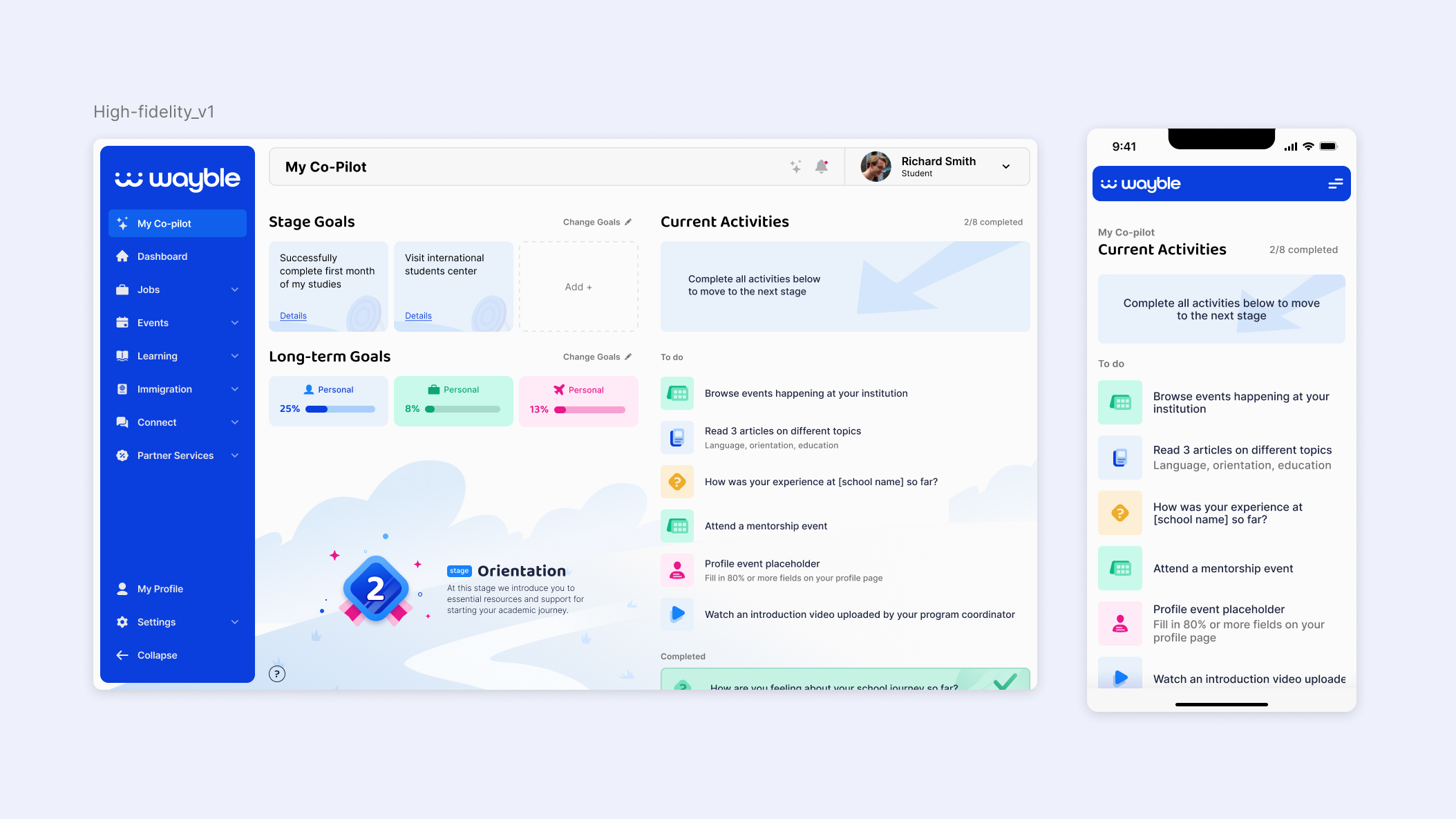
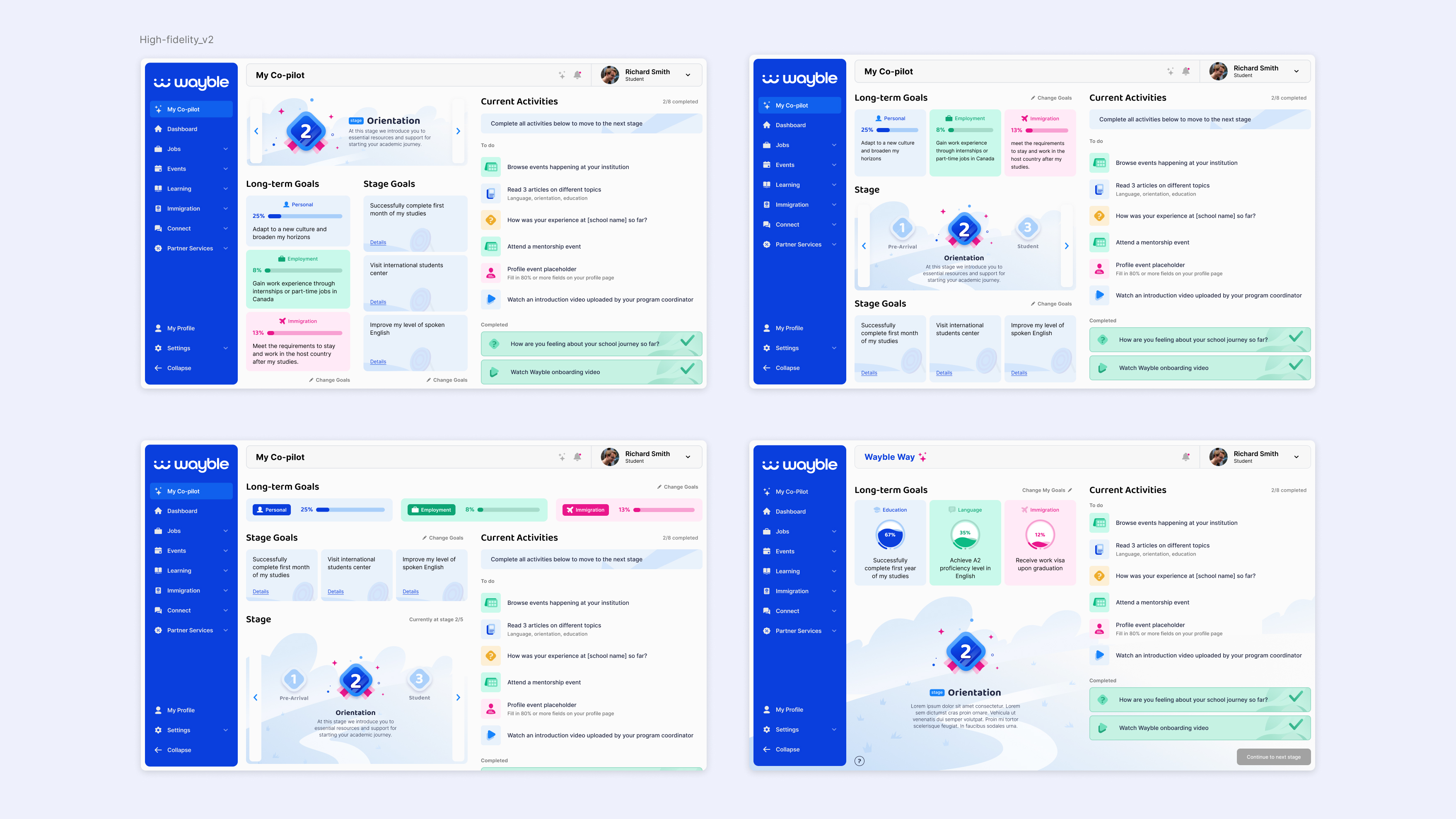
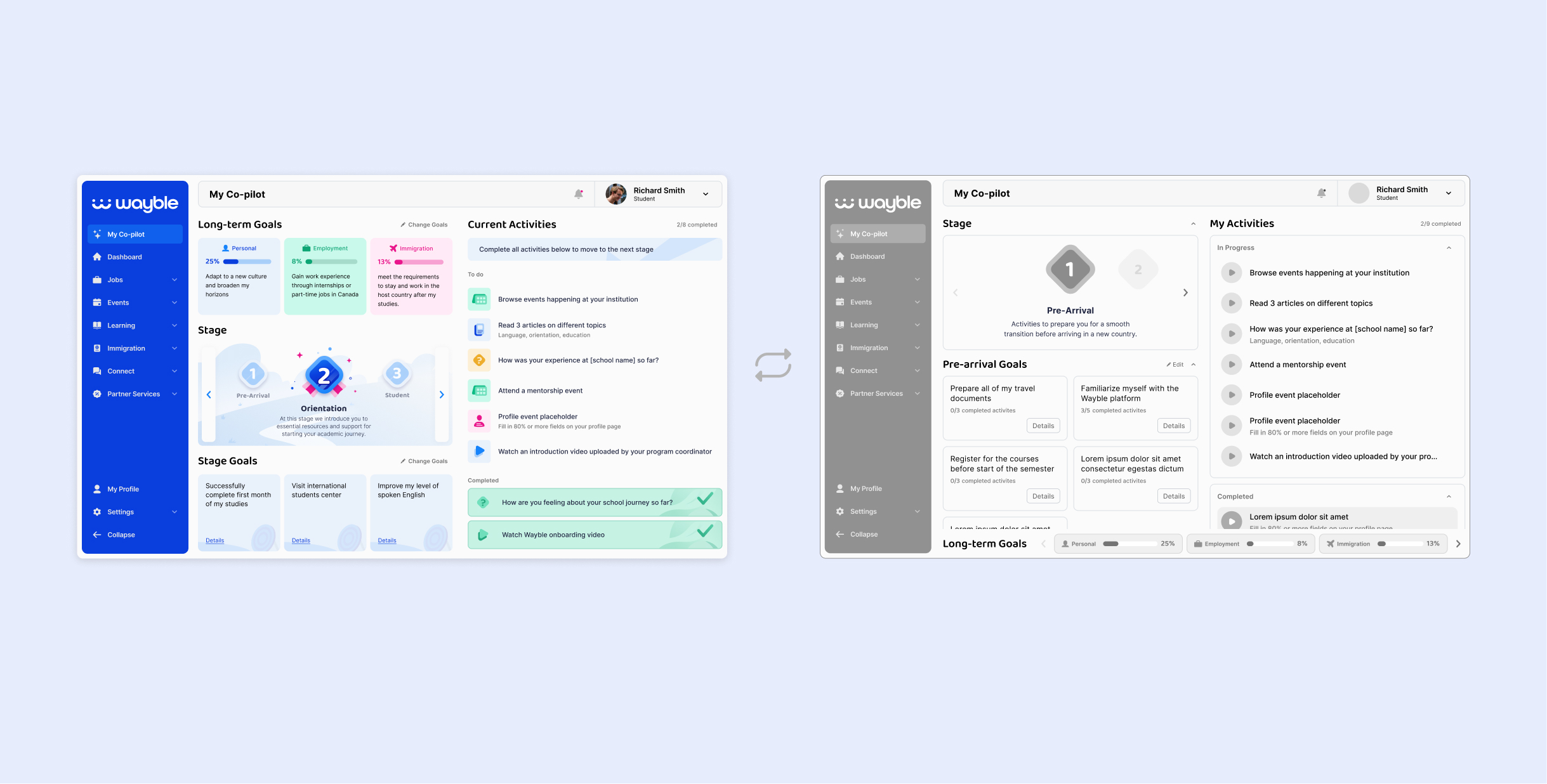
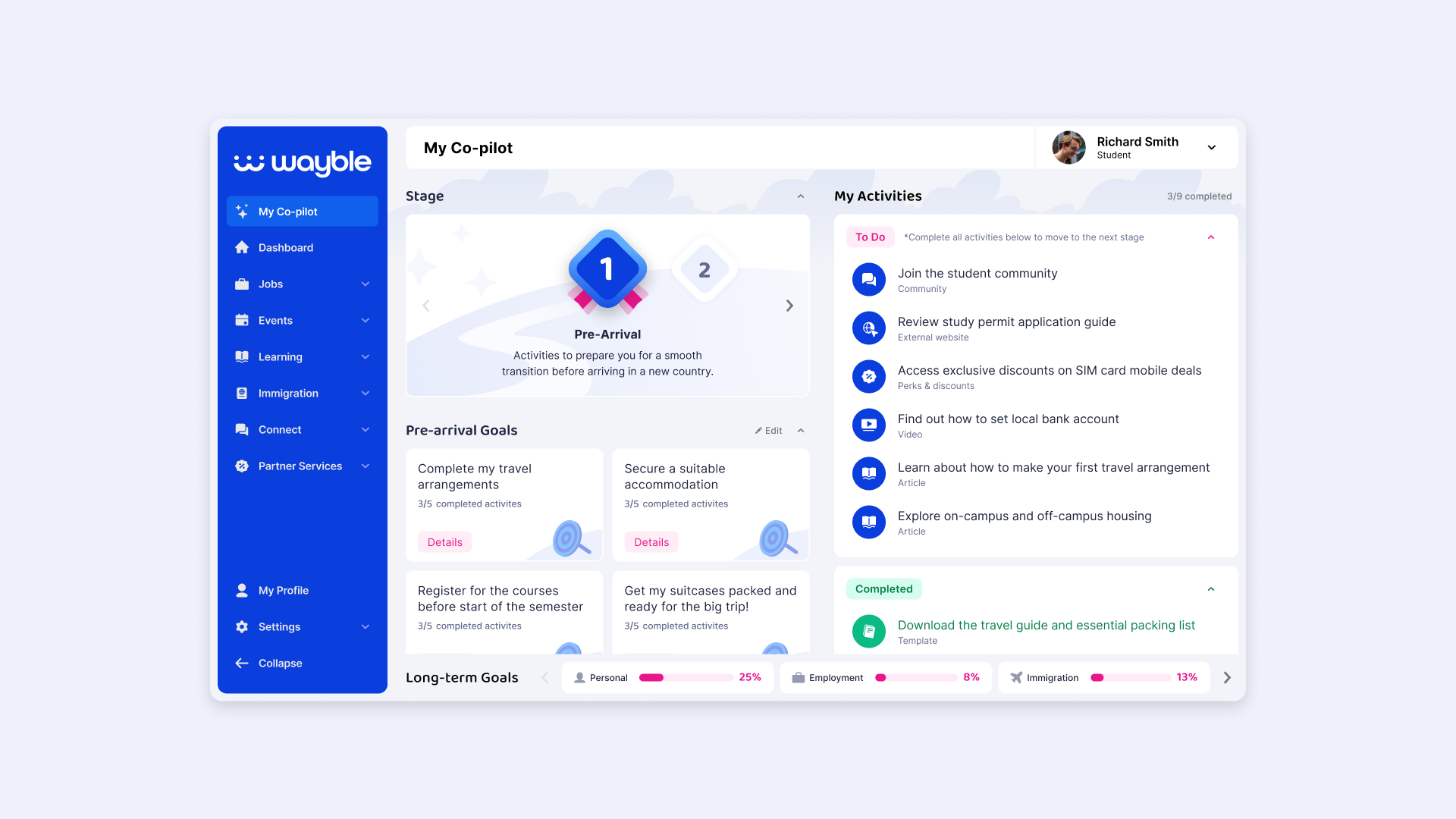
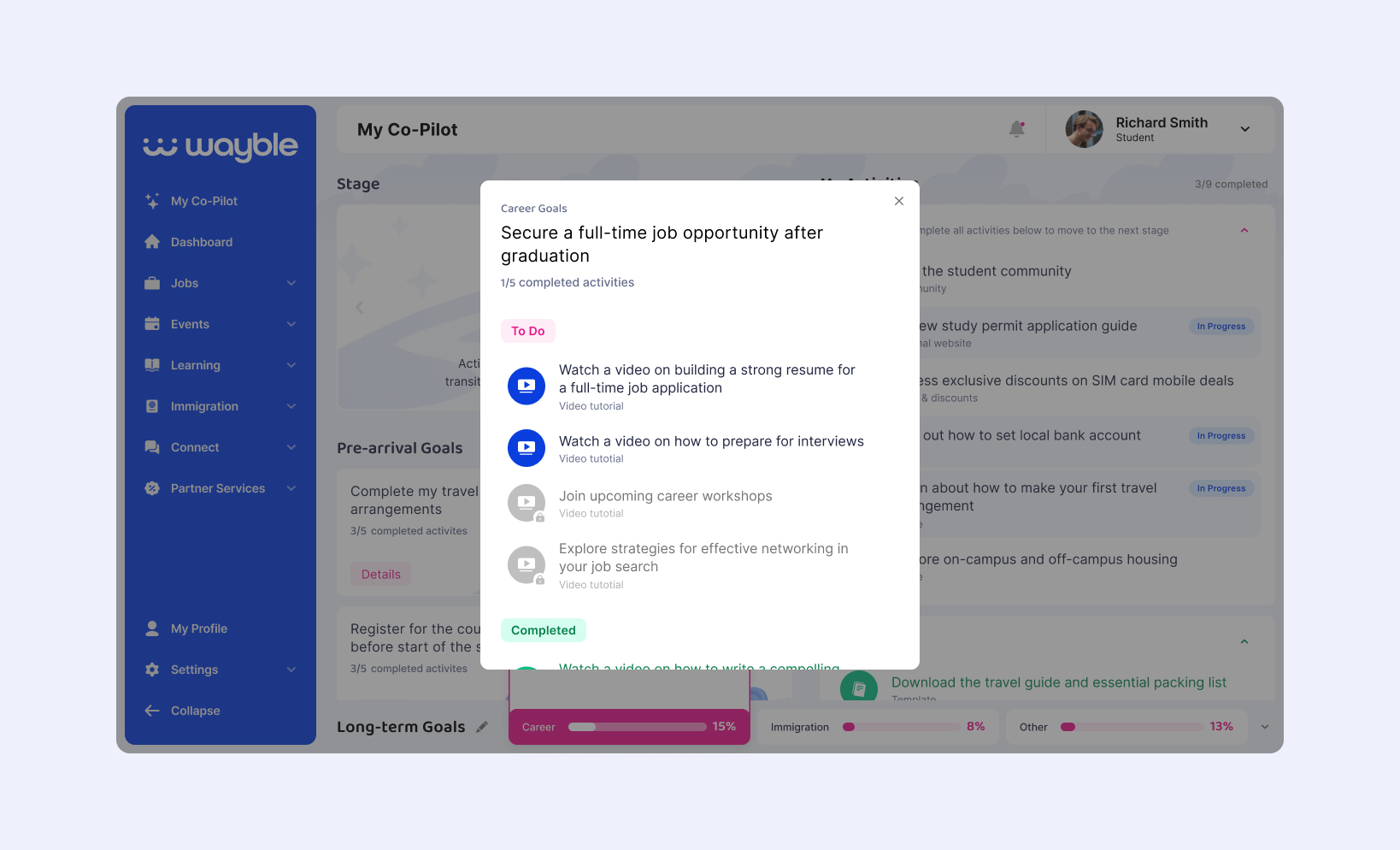
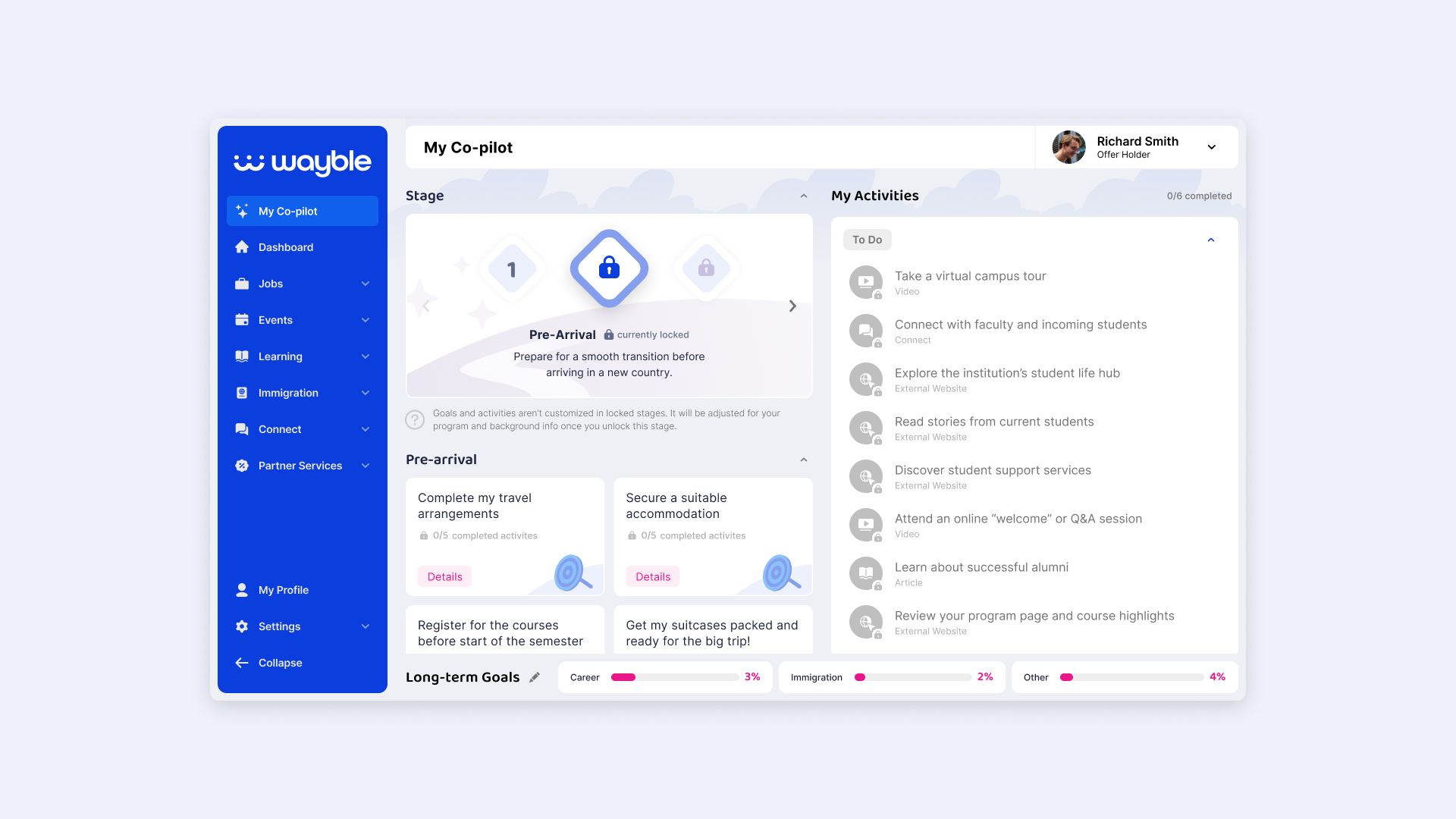
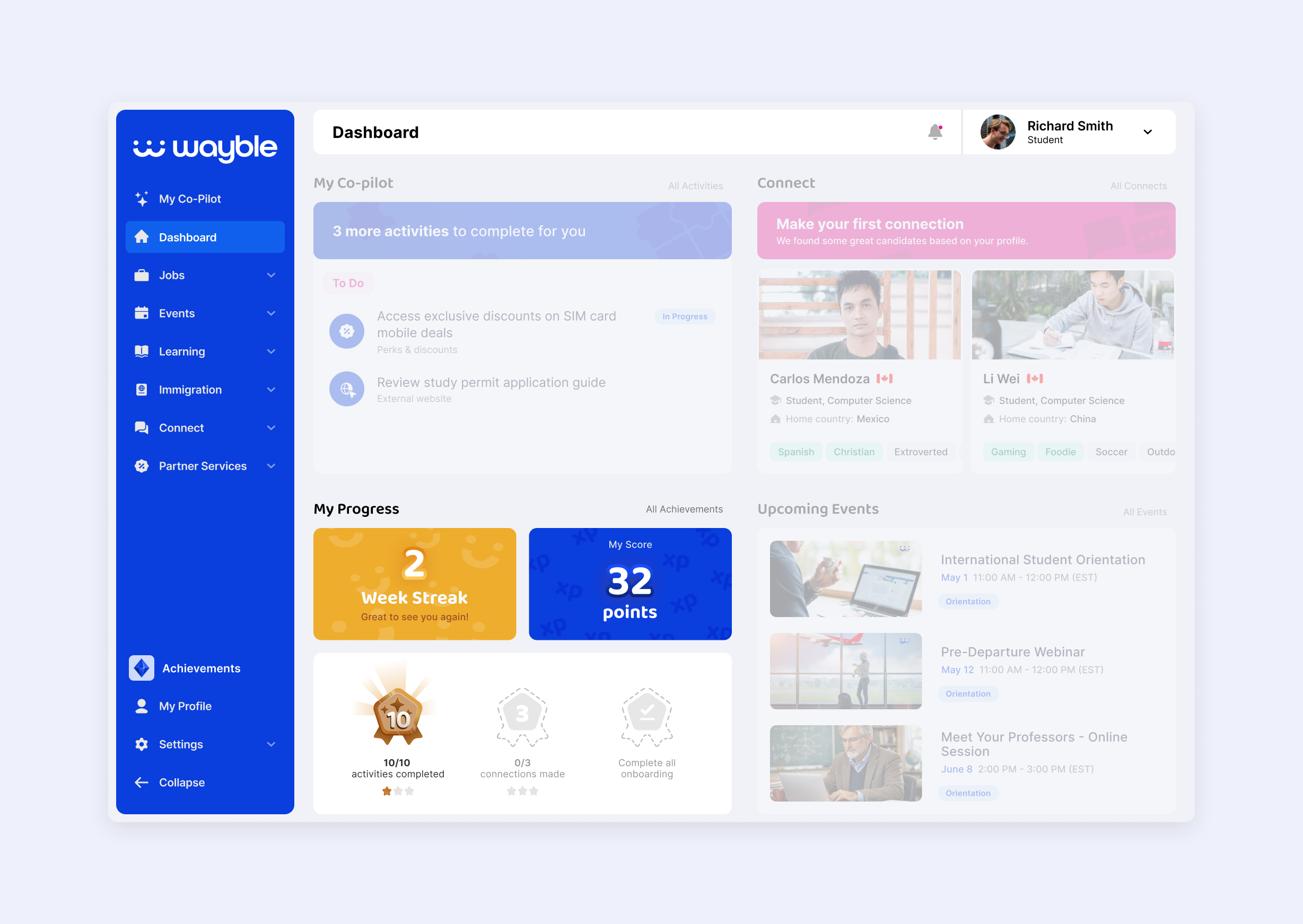
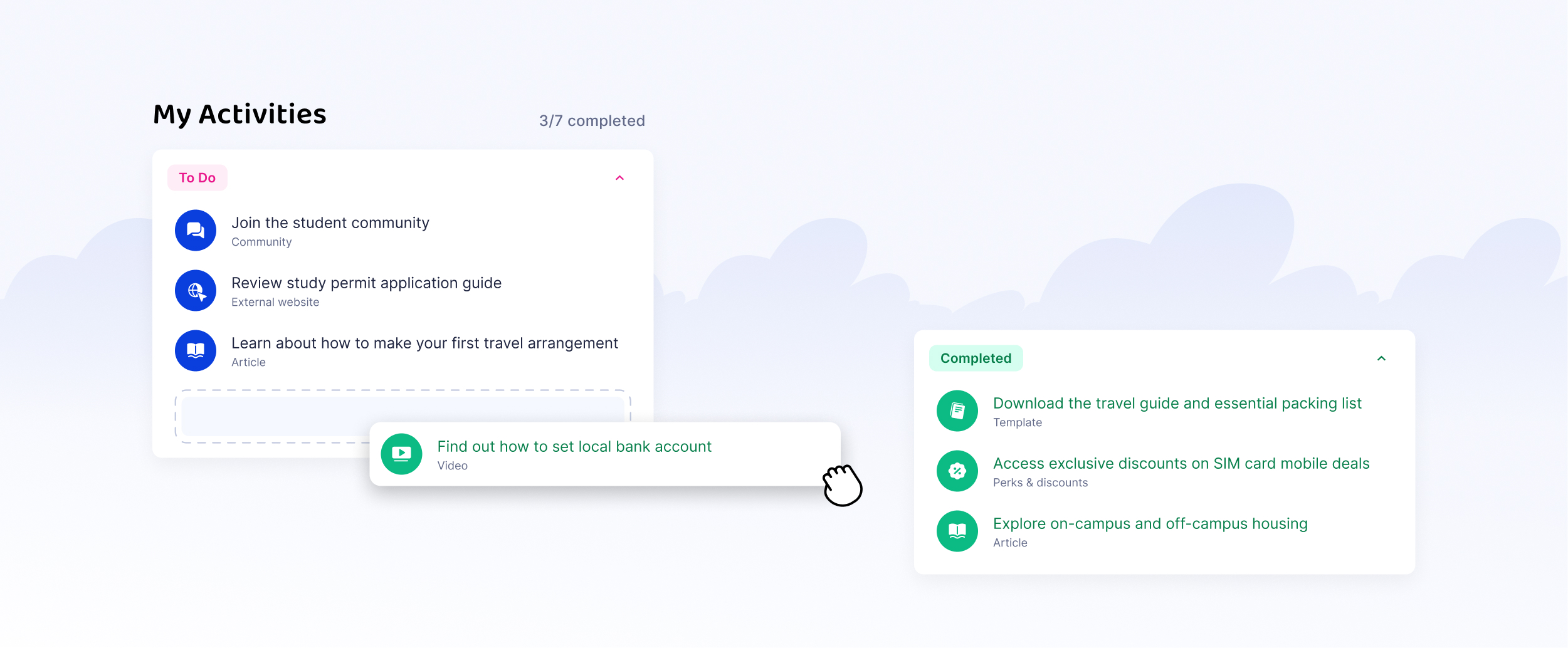
The Co-pilot dashboard presents students with a tailored set of activities relevant to their current needs. Activities are displayed as a checklist, a familiar pattern that makes it easy to understand what to do next.
On-platform activities are marked complete automatically when the user visits the related resource page. Activities that link to external resources are marked as in progress until the student confirms completion.
The dashboard also includes stage navigation and progress indicators. Stage goals group related activities, while long-term goals track progress across multiple stages. This structure helps students focus on clear next steps without navigating multiple parts of the platform.
To create a sense of progression, we introduced stages that organize activities into manageable steps. Breaking the experience into stages helps students focus on achievable tasks instead of an overwhelming list.
Once a student completes all required activities in the current stage, they can move to the next one if it has been configured and opened by the institution. Administrators can create stages, add resources, and control when stages become available. Previously opened stages remain accessible so students can revisit resources or repeat activities.
Wayble also collects a small set of personalization inputs at the beginning of each stage and feedback at the end to help institutions better understand student progress.
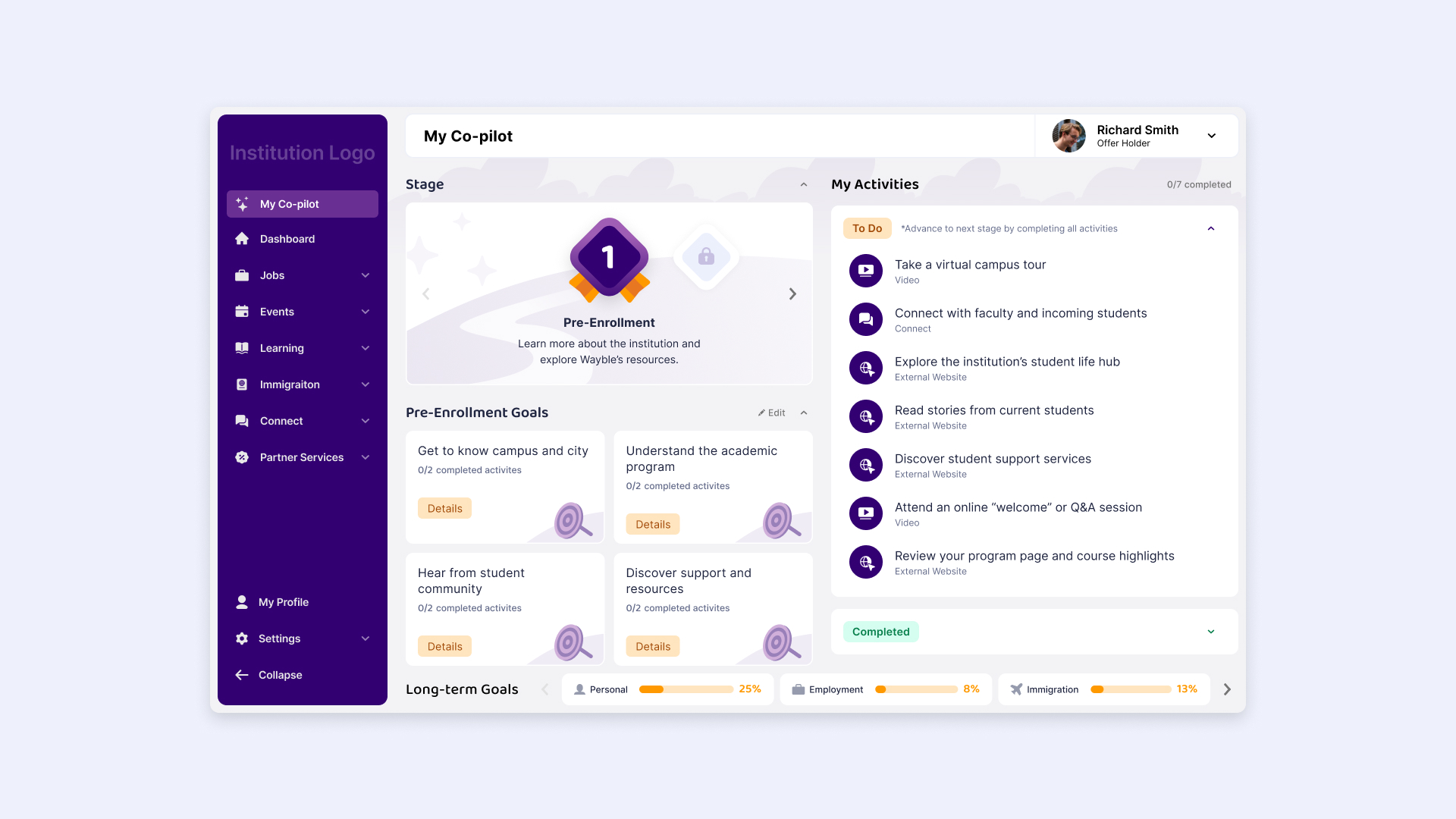
Co-pilot’s interface was designed with white-labelling in mind. Institutions can quickly apply their branding through the admin dashboard, creating a cohesive experience that feels like part of their ecosystem.
This flexibility allows institutions to adopt the feature without compromising their brand identity, helping build trust among students.
I designed a personalized student experience that was deployed across multiple partner colleges and universities. Institution teams adopted Co-pilot to create program-specific journeys that helped convert and retain students through relevant, tailored resources.
With entire student cohorts using Co-pilot, institutions gained better insight into students’ academic challenges and wellbeing through stage surveys, while reducing the need for program coordinators to manually send resources to individual students. This made it easier to connect students with relevant support at scale.
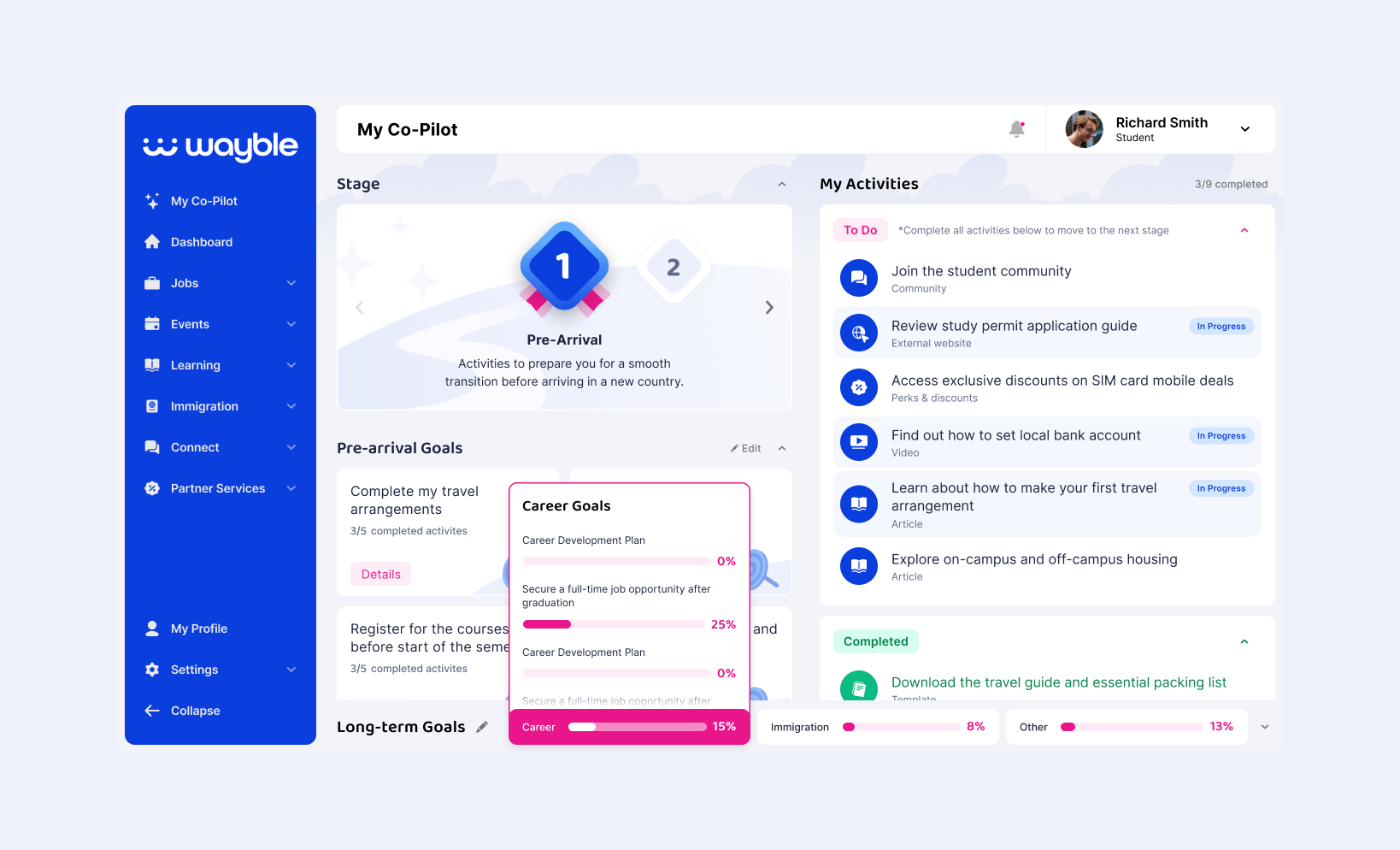
After analyzing student activity in Co-pilot, I noticed that students were not engaging with long-term goals. Feedback from students and admins suggested the original implementation was too broad to understand or act on meaningfully. Students could only set one goal per category, with no clear indication of how to work toward it.
We updated the goal structure with more relevant categories, such as career, immigration, and other. We also broke goals into smaller steps and connected them to specific activities, helping students understand how to work toward them.
Previously, closed stages provided no visibility into the activities or goals students could expect. This became especially important as we worked on Wayble’s experience for converting offer holders into enrolled students. Giving students a clear roadmap they could explore helped communicate the platform’s value and gave them a better understanding of what to expect throughout their journey.
I added an option to preview upcoming activities and stage goals before completing stage personalization.
After seeing Co-pilot successfully adopted over time, we received feedback from schools that adding more delight to the experience could increase student engagement. Earlier research into similar platforms with gamification features supported this direction.
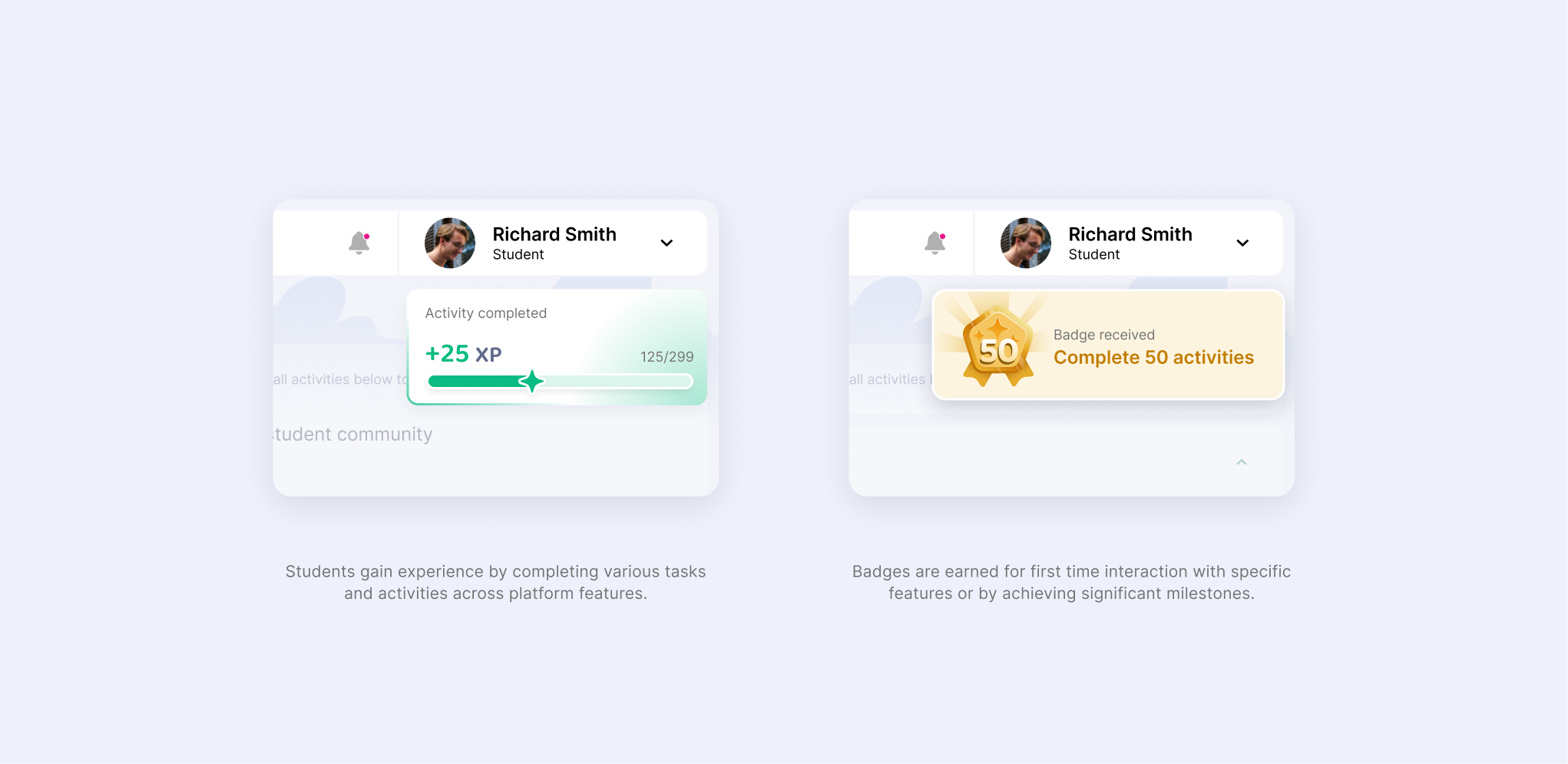
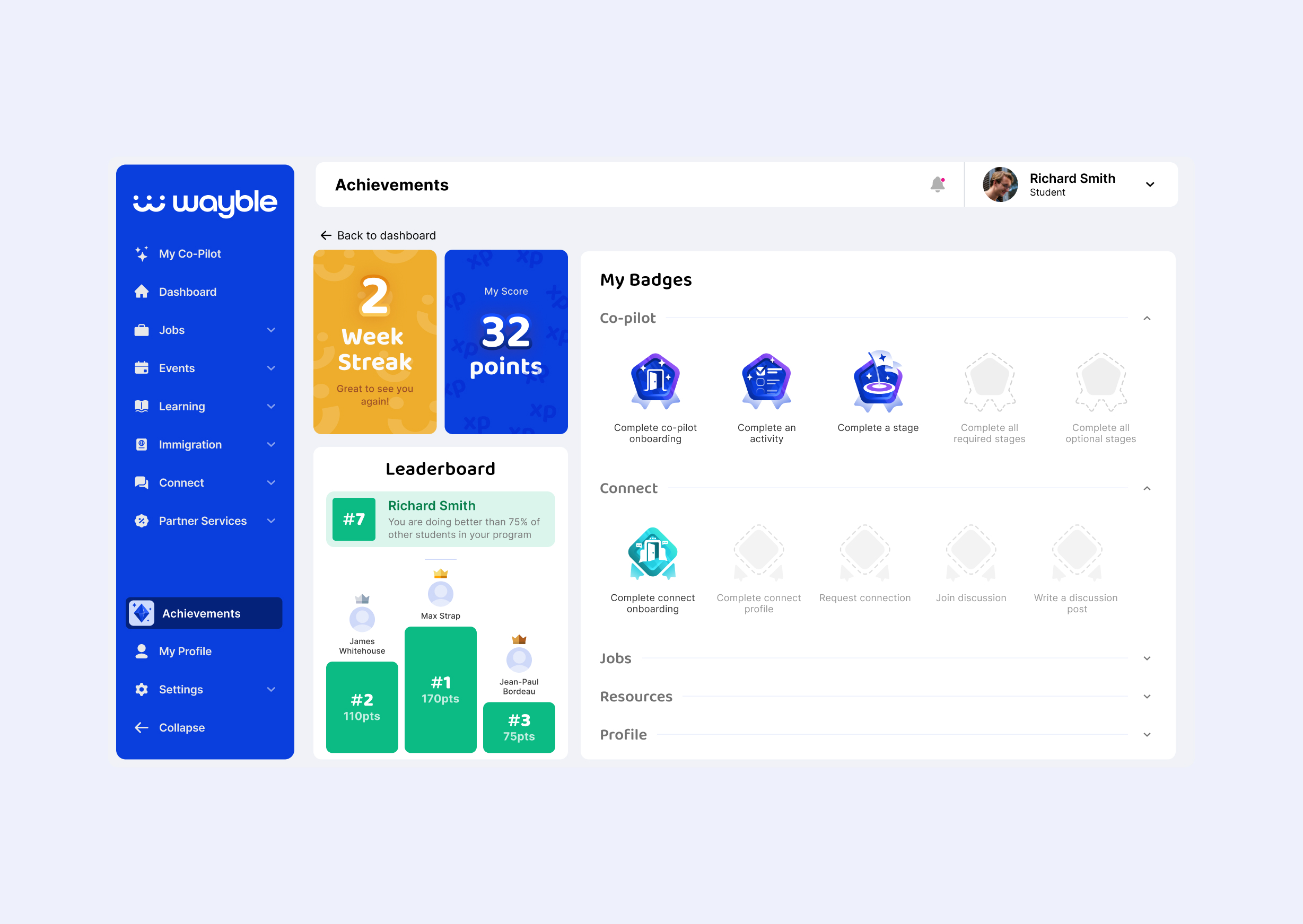
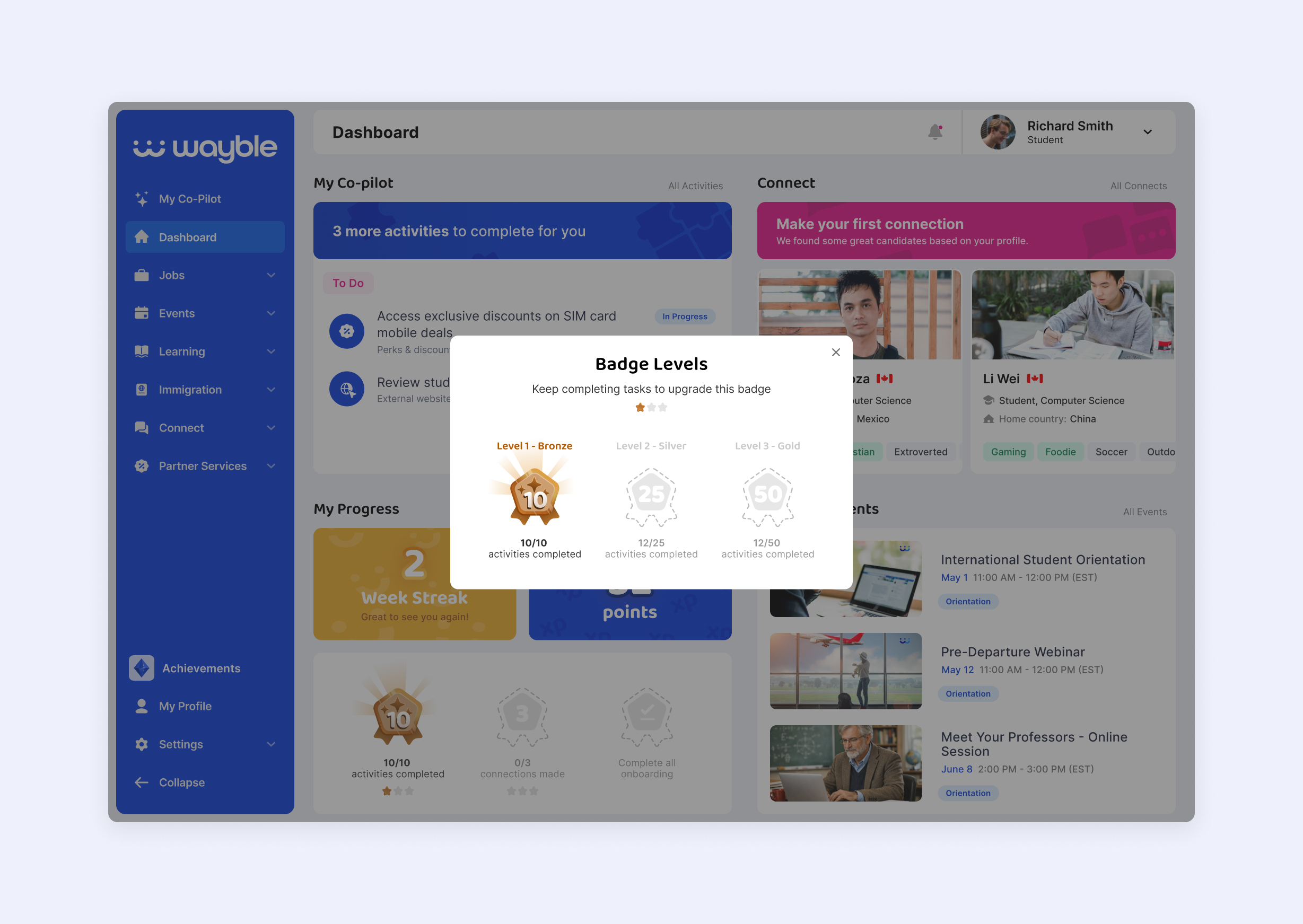
To address this, I designed a lightweight gamification system with XP for completing activities and goals, badges for larger milestones, a badge collection display, and basic leaderboards that allowed students to compete within their cohorts.

Evoke Health
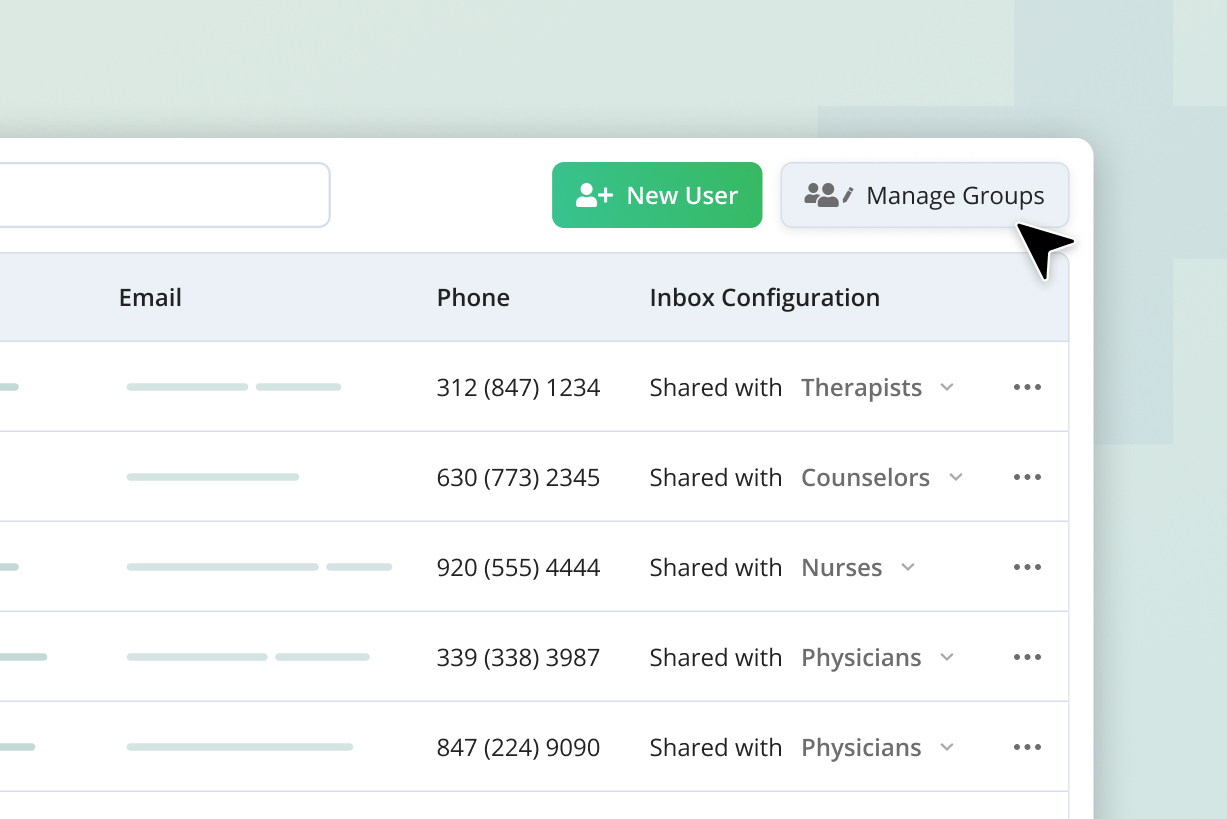
Improved staff user management and operational visibility for a senior care EHR platform
|
Web-app
Carbon Graph
Enabling faster, smarter decisions from lifecycle data
|
Web-app / Motion graphics